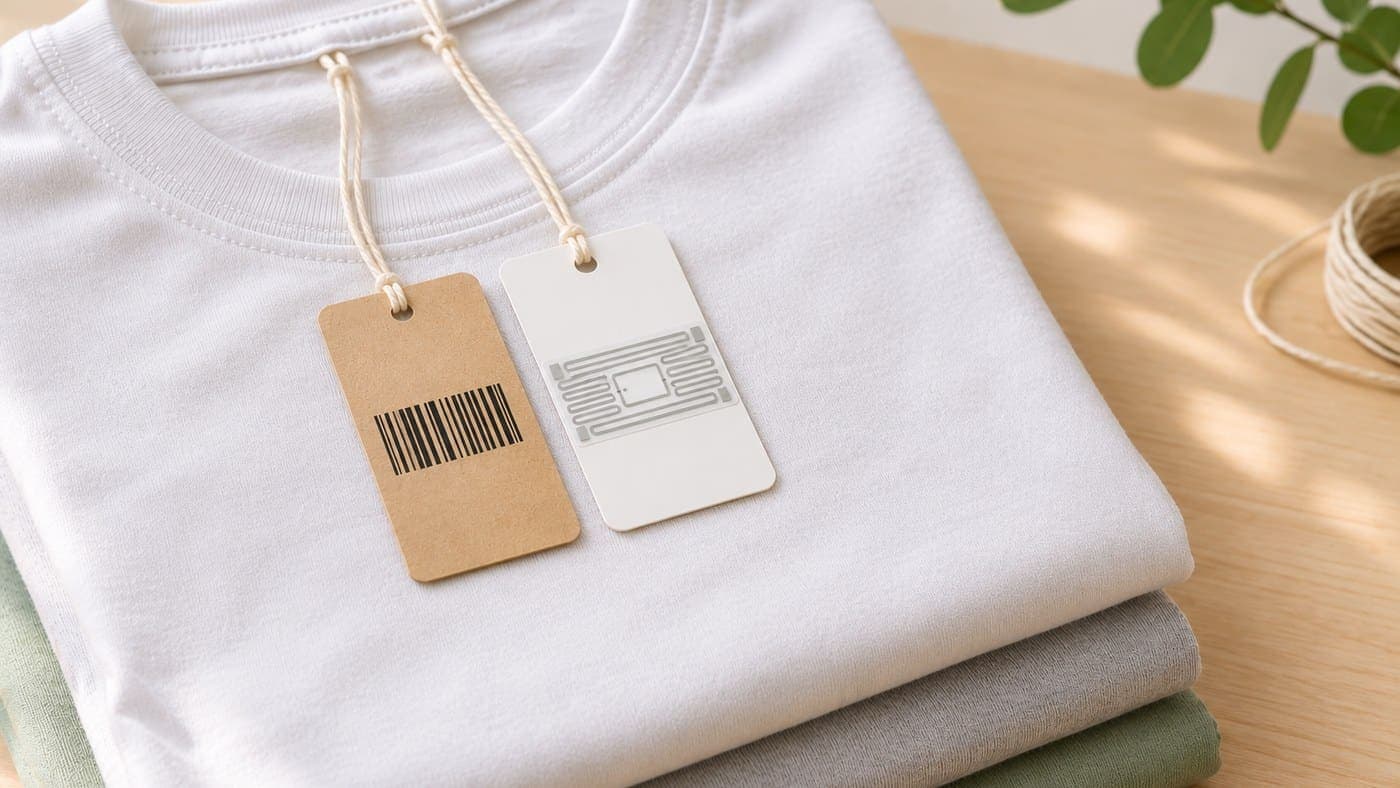
If you've ever counted stock with a barcode scanner, you know the routine. Pull a shirt out, flip it over to find the label, beep. Fold it, put it back. Pull out the next one. A shelf of 200 shirts is 200 beeps, and that's before the creased labels and the ones facing inwards that make you unstack the whole pile.
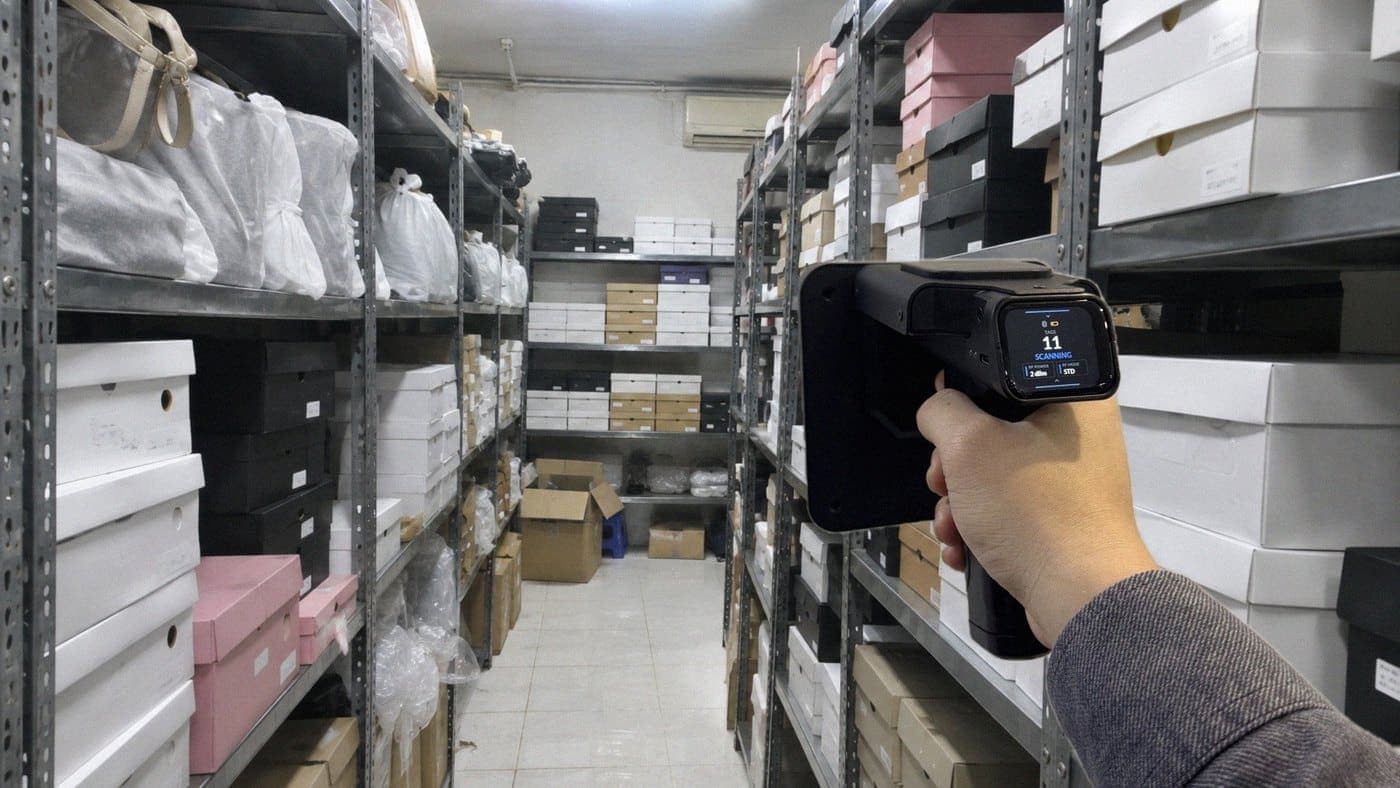
With RFID, you stand in front of the shelf, point the scanner and pull the trigger. It reads many items in one pass without seeing a single label, and the count on your phone just keeps climbing.
That's the root difference: a barcode is read one item at a time and has to be seen, while RFID reads many items in one pass over radio waves. Because they read differently, they differ in speed, in cost and in which jobs they suit. And to put one worry to rest early: many shops that use RFID still sell with barcodes at the counter, exactly as before. You don't have to pick one and drop the other.
The 30-second version
- Barcode: the scanner has to see the code, reads one item at a time, from a few tens of centimetres. Cheap, familiar, a good fit for the checkout counter.
- RFID: reads over radio waves, doesn't need to see the tag, reads many items in one pass, and every item has its own code. A good fit for stock counts, finding items, and receiving or shipping whole batches.
- Barcode labels cost far less. A standard Nextwaves RFID tag is 890đ per tag (excl. VAT), plus the cost of the reader. In return, RFID can save you a lot of hours on stock counts.
- Few items and rare counts: barcodes are usually enough. Counts that take all day, or stock in the software that keeps drifting from the shelf: that's when RFID is worth working out.
Barcode vs RFID: the difference is how they read
Barcode: you have to see it, one item at a time
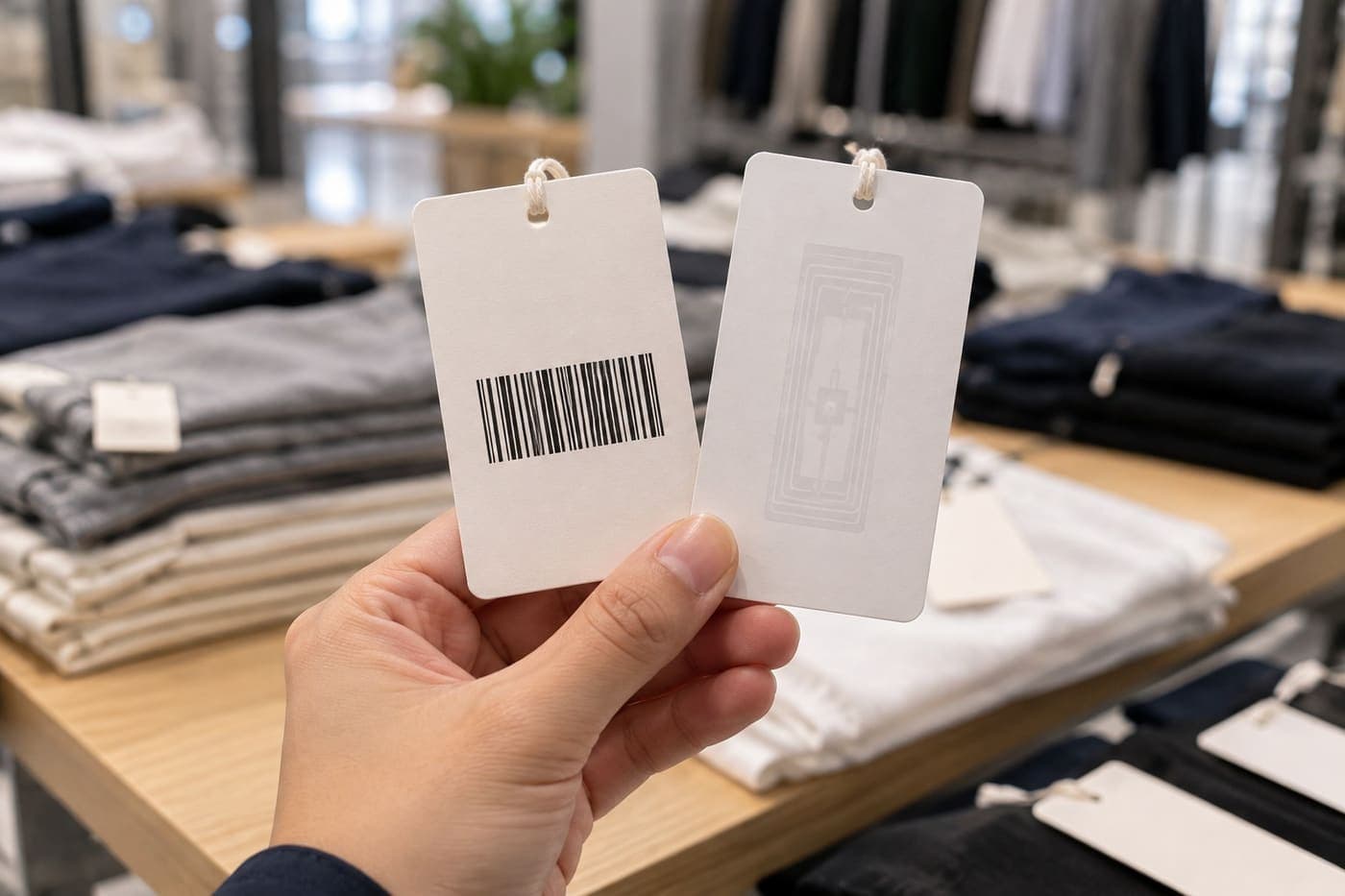
A barcode is a row of black and white bars printed on a label. The scanner has to see it, from a few tens of centimetres away, and it reads one code at a time. If the label is covered, creased, torn or facing inwards, the scanner can't do anything, and you have to take the item out and turn it round.
There's one more thing people rarely notice: the barcode on a shirt is usually the code for the style. Twenty shirts of the same style, colour and size carry the same code. Scan one twice by accident and the software counts two. And since they all share one code, looking at the barcode won't tell you which shirts you've already scanned and which you haven't.

RFID: no need to see the tag, one pass reads them all
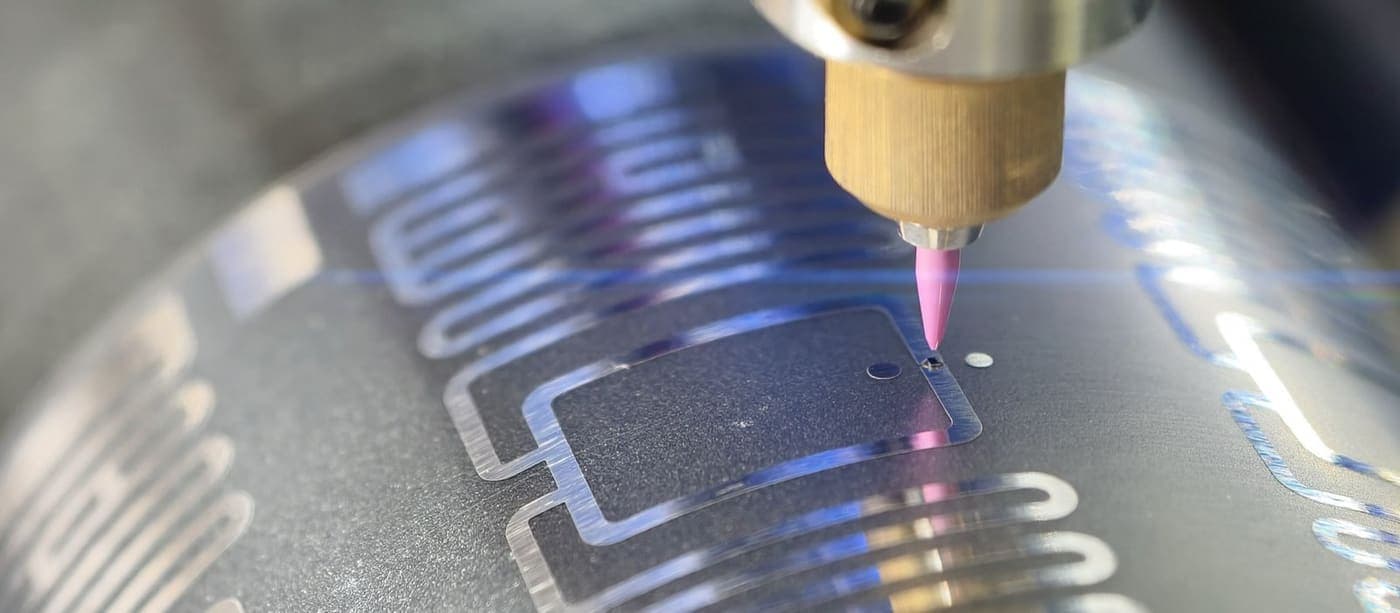
RFID reads over radio waves. An RFID tag is a label with a tiny chip and antenna inside. The reader sends out a signal and the tag answers with its code. The signal passes through paper, fabric, plastic and even cardboard boxes, so the reader doesn't need to see the tag and can read many tags in one pass.
Every tag carries its own code, called an EPC. Twenty shirts of the same style are twenty different codes. The software counts by that code, so however many times the reader picks up the same tag, it's still one shirt. Tags the reader hasn't reached yet still need another pass.

RFID has limits too, so let's be clear about them. Metal, liquids, tags facing the wrong way, folded tags, tags stuck on top of each other, or goods packed too tightly can all make the reader miss some. When you hit a spot like that, scan again from a few angles. On the other hand, if the power is set too high, the reader can pick up tags from the next shelf. So after a scan, still check the items that don't match. If your goods are metal or liquid, test real tags on them before tagging the whole stockroom.
A day in the shop: which jobs suit barcodes, which suit RFID
Go through the jobs in a normal shop day and it's easy to see which way is handier:
| When | With barcodes | With RFID |
|---|---|---|
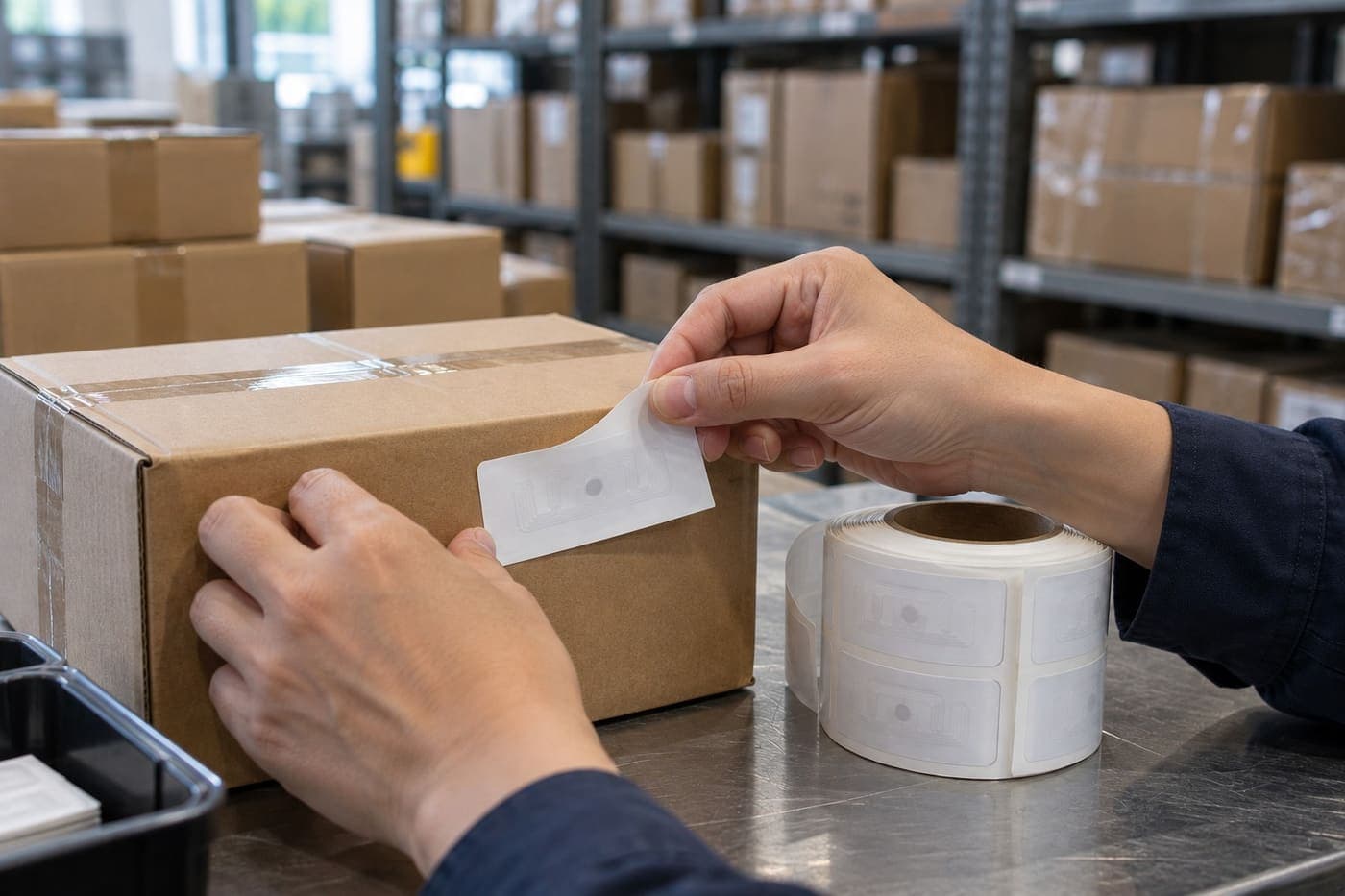
| New stock arrives | Scan each item, or count by hand and type in the quantity | Stick on the tags, pick the product code, then put the whole group of the same code, colour and size on the desktop reader. Each tag is paired with one item |
| A customer asks for an item that isn't on the shelf | Check stock in the software, then search shelf by shelf | Pick the item in the app and follow the scanner's beep |
| A customer pays at the counter | Scan each item's barcode, quick and familiar | Nothing changes, you keep selling in the sales software you already use |
| Weekly or monthly stock count | Take each item out, find the label, scan it. The more stock, the longer it takes | Walk along the shelves, pull the trigger, and the reader takes the whole shelf in one pass |
| An order needs to go out | Scan each item in the order | Put the order's items on the reader, check the list, then book them out |
At the counter only a few items pass through your hands at a time, so scanning them one by one costs next to nothing. It gets slow when you have to read hundreds or thousands of items at once: a stock count, or hunting for one piece that's been put back in the wrong place. Once your goods are tagged, that's where RFID saves you the most work. New stock still has to be tagged and paired item by item, though, and there's no way around that part.
Why receiving uses the desktop reader while counting uses the handheld is explained in Handheld RFID scanner vs desktop RFID reader.
RFID vs barcode: side by side
| Barcode | RFID | |
|---|---|---|
| How it reads | The scanner has to see the code | Radio waves, no need to see the tag |
| Per read | One code | Many tags in one pass |
| Distance | A few tens of centimetres | The kit's handheld scanner reads up to 6 m, depending on the tag and how the goods are stacked |
| Code on each item | Usually the style's code, so items of the same style share one code | Every tag has its own code |
| Stock count speed | One item at a time, so more stock means more time | Walk the shelves and read a whole shelf at once. In a fashion customer's stockroom, one person counted 3,000 items in about 15 minutes |
| Covered, creased or dirty labels | Hard to scan, you have to turn the item round | Reads through paper, fabric and plastic. Weaker when the tag sits against metal or liquid |
| Label cost | Cheap. Many goods arrive with the maker's barcode already printed, and printing your own only costs paper labels | A standard Nextwaves RFID tag is 890đ per tag, excl. VAT |
| Devices | A barcode scanner, or a phone camera | RFID readers: a handheld scanner and a desktop reader. A phone can't read these tags on its own |
| Getting started | Easy, many shops already have labels and a scanner | Every item needs a tag, paired with the right product code when stock comes in |
| Best for | Checkout, shops with little stock | Stock counts, finding items, receiving and shipping whole batches |
The 15 minutes is scanning time, measured in one customer's stockroom. Real speed depends on the type of goods and how they're stored.
RFID vs barcode cost: compare the right things
On label cost alone, barcodes win easily. Many goods arrive with the maker's barcode already printed on the packaging. If you print your own, it only costs paper labels and ink. Barcode scanners are also much cheaper than RFID readers.
RFID tags are priced per tag. A standard Nextwaves tag, 54x34 mm or 45x20 mm, is 890đ per tag excl. VAT, ordered in rolls of 2,500 tags. Stick-on tags are single-use, so every new item needs a new tag. If you buy a lot of tags over the year, look at Tag Rewards: the higher your level, the lower your price per tag works out, down to 810đ, with the difference paid back as credit after the year ends.

So RFID costs more in tags and devices. What it can save you is labour: the hours your team spends counting, and the time spent searching shelves while a customer waits. How much you save depends on your shop, and buying the devices doesn't make the savings happen by itself. So don't just compare label prices. Work out how many people and how many hours each stock count takes, how many counts you do a year, turn that into wages, and compare it with the cost of tags and devices.
If the tag cost feels heavy, you don't have to tag everything on day one. Start with your higher-value goods and widen from there.
The full cost breakdown, with devices, tags, software and tagging labour, is in RFID system cost. If you're still deciding whether to do it at all, read Should you invest in RFID?
You don't have to choose: barcodes at the counter, RFID for stock
At the counter, a customer brings up a few items, your staff scan the barcodes and the sales software prints the invoice. Barcodes do this job well, and there's no reason to change it.
RFID handles the stock side: receiving, stock counts, finding items, shipping orders. With the Nextwaves kit, that side runs on Sense Inventory, the stock software. Selling and invoicing stay in the software you already use. Sense Inventory integrates with Sapo, KiotViet and Haravan, so if you use one of these, you don't have to switch.
One item can carry both a barcode and RFID. Goods that already have a barcode label keep it, and you add an RFID tag. When you order new labels, an RFID label can have the barcode printed right on its face, so the counter staff scan as usual and the RFID reader reads the chip inside.
Your product list goes into Sense Inventory from an Excel file, and each product keeps the SKU and barcode you use today.
When is a barcode enough?
Honestly, not every shop needs RFID. Barcodes are usually enough when:
- You carry few products, a few hundred codes or so, and each stock count still finishes in a time you can live with.
- You rarely need to count, and the numbers in the software still match the goods on the shelf.
- Your goods are low-priced and sold in high volume, so the tag cost is a real share of the item's price.
- Most of your goods are metal or liquid. These need testing with real tags first, and may need a special, more expensive tag. Don't rush until you've tested.
On the other hand, RFID is worth working out when:
- A stock count takes all day, needs 2 or 3 people, and sometimes means closing the shop.
- Stock in the software often drifts from what's actually on the shelf.
- You have lots of near-identical items that differ only in size or colour, and counts get mixed up.
- You often have to dig through the stockroom for an item a customer asked about.
- Goods move back and forth between your stockroom and your stores, and every arrival has to be counted item by item.
There's no fixed line like "above this many codes, you need RFID". Look at which step in your shop eats the most staff time. If it's counting and finding stock, that's where RFID pays. For a wider comparison of stock counting methods, from counting by hand to barcodes to RFID, see Smart stock counting.
Ready to start counting stock with RFID? What's in the kit
The Nextwaves retail starter kit costs $1,199 for the full kit, excl. VAT. In the box:
- 1 handheld RFID scanner, for stock counts and finding items.
- 1 desktop RFID reader, for pairing tags as stock comes in.
- 2,500 RFID tags, enough for 2,500 products.
- Sense Inventory Essentials stock software, $0 a month.
Nextwaves makes both devices, and both carry Vietnam's conformity certification. The price includes free shipping in Vietnam, setup support, training at handover with guides and videos, phone and chat support after handover, and a 12-month device warranty.
Once the kit arrives, work in this order: connect the two devices, import your product list from an Excel file, tag your products, use the desktop reader to pair each tag with its code, colour and size, then take the scanner out for your first stock count. For how a full stock count runs from start to finish, see RFID stock counts for fashion shops.
Not sure whether your shop should stay with barcodes or move to RFID? Answer 9 questions on the kit page, which takes about 30 seconds, or fill in the form below. Nextwaves will call you back, ask how you count stock today, and tell you plainly if the kit isn't right for your shop.
Frequently asked questions
Does RFID replace barcodes?
It doesn't have to. Barcodes still suit the checkout counter, and RFID suits stock counts, finding items, and receiving or shipping whole batches. Many shops keep both, sometimes on the same label.
I sell with barcodes on KiotViet, Sapo or Haravan. Do I have to switch?
No. You keep selling and invoicing as you do now. Sense Inventory looks after stock and stock counts on its own.
Can a phone scan RFID tags?
A phone camera can read barcodes, but it can't read RFID tags like the ones in the kit. You need an RFID reader. The handheld scanner connects to your phone over Bluetooth, and the phone runs the Sense Inventory app to show the results.
How much does an RFID tag cost?
A standard Nextwaves tag is 890đ per tag, excl. VAT, ordered in rolls of 2,500 tags. The kit already includes 2,500 tags. If you buy a lot over the year, look at the Tag Rewards program.
Can RFID read goods inside a box?
Yes, the signal passes through cardboard. That said, goods against metal or liquid, or packed too tightly, can have tags missed. With goods like that, scan again from a few angles.
Is an RFID stock count 100% accurate?
No counting method is 100% certain. RFID can miss tags or pick up tags from the next shelf. That's why, after a scan, Sense Inventory separates missing items, extra items and unknown tags so you can check them. If something is missing, look on the nearby shelves first before deciding it's lost.
Does RFID work on metal or liquid goods?
With limits. Metal and liquids can make tags harder to read, especially when the tag sits right against them. Nextwaves will advise on the tag type and where to place it, but the surest way is to test real tags on your own goods before tagging the whole stockroom.