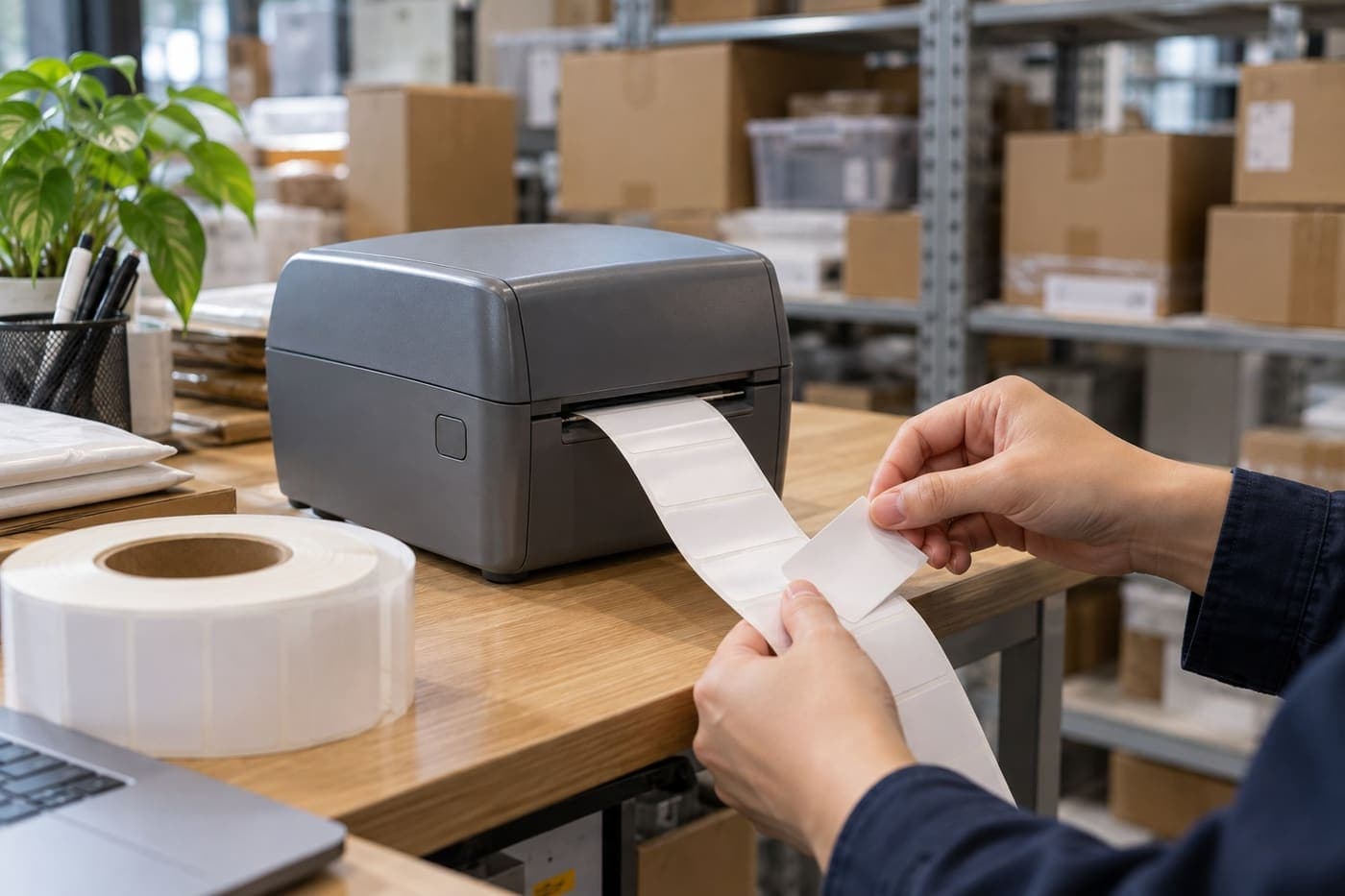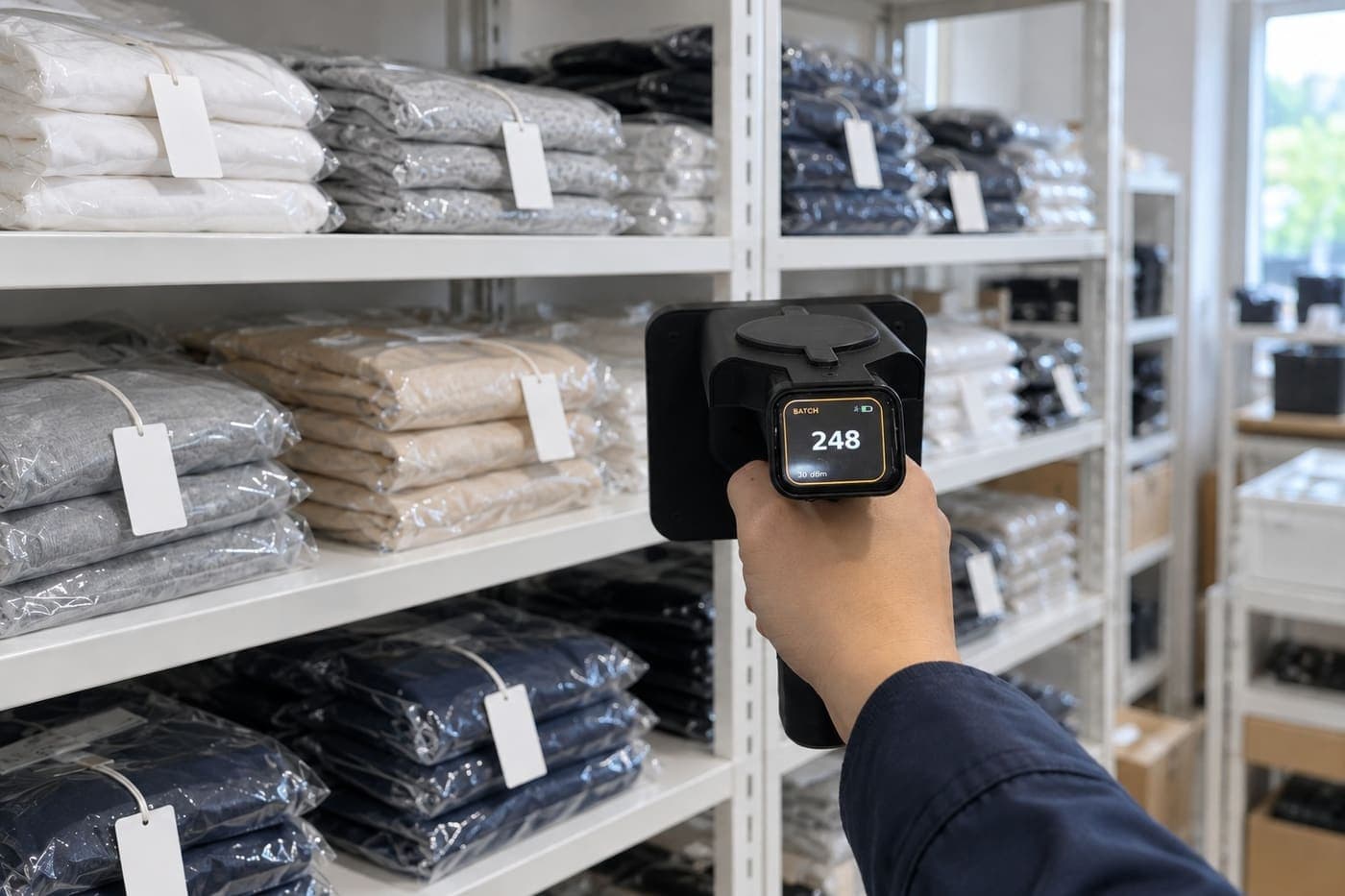
An RFID stock count means reading the RFID tags on your goods with a scanner, then comparing what was read with the stock quantities in your software. Each item carries a tag with its own EPC code, linked to the exact product, size and colour. Staff only need to sweep the scanner along clothing rails and shelves. The scanner reads many tags in one pass without seeing each label, so nobody has to turn every shirt over to find its label as they would when counting by hand. After the scan, someone still has to check and settle the items reported as missing or extra.
If your shop already uses RFID or is about to, this guide goes from tagging and loading opening stock to scanning the stockroom, finding items reported missing and closing the count. Button and result names come from Sense Inventory, the stock software from Nextwaves. Other software may use different names and steps.
If you are new to RFID, start with What is RFID. If you are still deciding whether RFID suits your shop, RFID in fashion covers uses, tag placement and costs.
The 30-second version
- To count with an RFID scanner, every item in the count scope needs its own tag, linked to the right product and received into stock in the software. A tag not linked to anything in stock shows up as an unknown tag. Untagged goods have to be counted another way.
- Six steps: clear unfinished stock documents; open a count and pick its scope; scan along a fixed route; adjust the power and rescan hard-to-read spots; read the results group by group; check the differences, then close the count with or without a stock adjustment.
- The software counts by EPC, so a tag read many times is still one item. Watch for two other errors: hidden tags that are missed, and tags from the next area that are read by mistake.
- "Missing" only means "not found by the scan". Rescan from another angle, check the fitting rooms, parcels waiting for pickup and open transfers before calling anything lost.
- RFID does not make stock figures perfect. According to the RFID Lab at Auburn University (USA), average inventory accuracy at the retailers it worked with was only about 60%. For apparel with RFID, about 95% is the realistic level to expect. That is the accuracy of the stock figures, not the share of tags the scanner reads.
- For tagged stock, the figure Nextwaves gives for its kit is about 3,000 items in 15 minutes, by one person.
How is an RFID stock count different from counting by hand?
When counting by hand, staff read the label on every item, write down the count for each product, size and colour, then add it up. With RFID, the scanner reads the tags. The software matches each EPC to its product and compares the result with the stock ledger by itself.
| What | Counting by hand | Counting with RFID |
|---|---|---|
| What is counted | The number of pieces of each product, size and colour | Each item, each with its own EPC code |
| How it is read | Looking at each label; taking the item out if the label is inside a bag | Sweeping the scanner along rails and shelves; many tags per pass, no need to see them |
| Typical errors | Wrong size read, items counted twice or missed, adding mistakes | Hidden tags or tags close to metal missed; tags in the next area read by mistake |
| Time for about 3,000 items | Depends on how stock is stored; Nextwaves estimates close to a full day for 2–3 people | About 15 minutes, one person (Nextwaves' published figure for its kit, tagged stock) |
| Work still needed after counting | Compare, recount the differences, find the causes | Compare, rescan the differences, find the causes |
RFID speeds up the counting. The comparison still needs people who know which items are in the fitting room, which parcels the software has already deducted and which transfers have not been received. That is why the process below spends so much time on what happens before and after the scan.
Before the first count: goods must be tagged and received
An RFID scanner only reads goods that carry a tag. For the scan to match the stock ledger, each tag must be linked to the right product and recorded through a completed stock-in document. Before the first count, get three things ready.
Tag every item, in a fixed position
Every item gets a tag with its own EPC code. For the same kind of product, agree on one position, for example a label stuck on the shirt's swing tag, so staff can check tags by eye. When many items hang close together, keep the tags from overlapping or pressing against each other. Do not fold the antenna part of a tag, do not stick two tags on top of each other, and keep tags away from metal parts such as zips or bag clasps. The right position also depends on the tag type and the product. RFID in fashion has separate guidance for clothing, shoes and bags.
Receive the stock you already have, with its tags
In Sense Inventory, registering an EPC does not mean the goods are in stock. For stock you already hold when you start using the software, create a stock-in document with the Initial stock reason. Pick the exact product and variant, for example a black T-shirt in size M. Tick Auto scan RFID, then place that group of shirts on the desktop reader. Each different EPC is recorded as one item. Compare the tag count on screen with a hand count of the shirts, and remove any stray codes. When the group is done, turn auto scan off before moving to another size or colour. Finally, complete the stock-in document so the goods are recorded in stock.

Because a tag only becomes stock through a stock-in document, a stray tag that drifts into the reading zone cannot turn into stock by itself. In a count, it only appears among the unknown tags.
Tag new stock as it arrives
New goods should be tagged as they are received, in the same way. If an item is in stock on the system but has no tag, the scanner will not see it. A shop with a lot of old stock does not have to tag everything in one day. Finish one group of goods at a time and count that group first. Note: if some pieces of a product are still untagged, the RFID scan alone cannot be taken as the real stock of that whole product.
The RFID stock count process: 6 steps
The six steps below work for a full count and for counting one group of goods. Steps 3 and 4 are where the scanner comes in. The other steps decide whether the final figure can be trusted.
Step 1: Finish open documents before scanning
The software takes the expected quantities from the stock ledger. If a document is unfinished, the ledger is not up to date, and the count will show differences even though nothing is lost. So before counting:
- Check open stock transfers. If the goods have arrived in full, receive the transfer in the software. If they are still on the way, do not receive the transfer just to clear the shortage; note it for when you read the results, because goods in transit belong to no warehouse yet and will show as missing.
- Approve and complete stock-in and stock-out documents that are still Submitted or Approved.
- Agree a start time with everyone scanning, so all counts compare with the same stock point.
Before scanning, check the fitting rooms, the till and the packing area. A shirt a customer is trying on, or one waiting at the till, still counts if it is still in stock. For packed online orders, check whether the order has been recorded as stock out. Goods already stocked out but waiting for the courier should be kept out of the scanning area so they are not read by mistake. Customer returns that have not been received back into stock should also be kept apart from goods for sale. If you cannot process them in time, note them down to check against the results.
Step 2: Open a count, pick the warehouse and the scope
In Sense Inventory, go to Stock Audit and click New Reconciliation. Pick the warehouse to count; counting a warehouse includes its sub-warehouses and locations. Then pick the scope:
- Whole warehouse: every product with stock in that warehouse.
- Selected items: only a few products, picked on screen or imported from a file.
- By category: only one or a few categories, for example T-shirts this week and jeans next week.
A count that covers one category only tells you about that category; do not draw conclusions for the whole warehouse. Tags from products outside the scope, or from another warehouse, that the scanner still reads are listed separately and never counted or adjusted. So when you count only T-shirts and the next rail holds dresses, the dresses do not muddy the result.
Step 3: Connect the scanner and scan along a fixed route
Open the count and choose Add reader. The handheld scanner connects over Bluetooth; the desktop reader connects over USB. On a computer, open Sense Inventory in Chrome or Edge. You can also count in the Sense Inventory app on a phone. After you press Start, the tags read appear on screen. Check that the reads have synced into the count before moving on to the comparison.
Follow a fixed route, for example left to right and top to bottom, rail by rail and shelf by shelf, then the stockroom. Point the front of the scanner, where the antenna is, at the stock and move at a steady pace; sweeping too fast can miss tags. Several people can scan into the same count with several scanners. In that case, give each person an area so none is skipped.

When following progress, look at the number of different EPCs read, not the total number of reads. A tag can be read hundreds of times in one sweep and still be one item.
Step 4: Adjust the power and rescan hard-to-read spots
The power setting affects how far and how wide the scanner reads. Start at a moderate level and raise it step by step if many tags are not being read. Where shelves stand close together, high power can make the scanner read tags on the next shelf, parcels waiting nearby or loose tags in a drawer. If that happens, lower the power and scan closer to the area you are counting. The real reading zone also depends on how you hold the scanner, where the tags sit, the materials around them and how the stock is stacked.
Spots that are often under-read:
- Thick stacks of folded clothes, bagged items packed tightly together, goods still in cartons.
- Goods right against metal shelves, rails or hangers, or tags close to zips and bag clasps.
- Tags that are folded, creased or stuck on top of another tag.
For these spots, scan from several angles, change the scanner's direction, or split the stack so fewer items are in the reading zone at once.
Step 5: Read the results group by group
After scanning, Sense Inventory splits the list into the groups below. Each group needs a different response.
| Group | Meaning | What to do |
|---|---|---|
| Fully scanned | Scanned exactly what the system records | Nothing |
| Missing | On record but not found by the scan yet | Rescan from another angle; look in the fitting rooms, on the shelf for the next size, in parcels waiting for pickup; check open transfers |
| Extra | The scanner read the tag of an item the ledger does not show in the count scope. An item recorded as sold but still on the shelf also shows as extra | Check whether it is stock in the wrong warehouse, goods whose stock-in document is unfinished, or a customer return not yet received back |
| Unknown tags | Tags that match no product in stock: not registered, already left the warehouse, or not linked to a product. They never count as differences | Note the codes and deal with them after the count. Usually loose tags near the scanning area, or goods not received properly |
| Duplicate | The same tag read more than once | It does not raise the count, because the software counts by EPC. If this group shows many odd lines, check the scanning route and any stacked tags |
| Not counted | Products not scanned or counted yet | Keep scanning, or exclude them if they are not part of this count |
For example, a shop counts its T-shirts. The software reports one black T-shirt in size M as missing even though staff have swept every rail. They find it in a fitting room, scan it, and the line moves to Fully scanned. No stock adjustment is needed, because the shirt never left the shop.
If you do not know where a missing item is, use Find Item in the Sense Inventory app. Pick the product or the EPC to look for, start the search and sweep the areas where it might be. When the scanner reads the tag, it beeps and lowers its power step by step, so you have to move closer to keep hearing it. Once you are close, check the item by eye to make sure it is the right one.

The scanner cannot see untagged goods. If a count includes a few such products, you can turn on manual input in the inventory settings, then count them by hand and enter the quantity on that line during the count.
Step 6: Check the differences before adjusting stock
Before changing any figure, go through each line with a difference in the stock ledger and the history of each EPC: when the item came in and which stock-out or transfer documents it went through. Then click Finalize Reconciliation. The software offers three choices:
- Continue scanning: not done yet, go back to scanning.
- Just complete: lock the count and keep the result, with stock unchanged. Use it when a manager should review first.
- Finalize & Adjust stock: lock the count and post stock adjustments for the differences, except the products you chose not to adjust. On the web, this is where stock changes.
If you do not yet know why a product is off, you can choose not to adjust it and add a reason so it can be looked into. If the inventory settings do not allow increasing stock on surplus, extra items are still reported but not added to stock. For a tag recorded as sold whose item is still on the shelf, only return the tag to stock once you have confirmed why, for example a customer return. After finalizing, click Approve Reconciliation to close the count. If you finalized by mistake, someone with the permission can revert it and give a reason. The software keeps the history: every reversal is posted as a new entry and nothing earlier is deleted.
How accurate is an RFID stock count?
In a paper published in 2014, the RFID Lab at Auburn University (USA) reported that average inventory accuracy at the retailers it worked with was only about 60%, ranging from 28% to 80%. The measure is per product (SKU): a product counts as accurate when the quantity on the system matches the real quantity. So at 60%, about 4 in every 10 products have the wrong quantity on record. In RFID pilots and early deployments, the figure rose above 95%. For apparel, Auburn considers about 95% the realistic level to expect. These are research results from retailers, not a promise for every shop that uses RFID.
Inventory accuracy is not the same as the scanner's tag read rate. A scanner can read nearly every tag while the stock figure is still wrong, because of a size mix-up at receiving, a tag linked to the wrong product or an unfinished document. During the scan itself, an item may not be recorded correctly because:
- The tag is hidden, sits against metal, is folded or is stuck on top of another tag.
- The tag has fallen off or been removed from the item.
- The item has no tag, so the scanner cannot read it; or the tag was read but is not correctly linked to stock in the ledger.
- The person scanning skipped a shelf, a carton or a corner.
So do not adjust stock the moment the scan ends. Check the items reported missing or extra first. For your first count, pick one fully tagged shelf, scan it, then count the same shelf by hand. If the two results do not match, check how the tags were applied, the scanning route and the stock-in data. Staff will then know what to watch for before they count the whole warehouse.
How often should you count stock with RFID?
Stock figures drift over time because of short deliveries, sales of the wrong size, items in the wrong place and loss. According to Modern Materials Handling (2013), the US department store chain Macy's said that after its full count at the start of the year, store inventory accuracy fell by about 2–3% a month. In an RFID pilot from 2010 covering denim, men's basics and women's intimate apparel, the company found it could cycle count many times a year and keep average inventory accuracy at 97% or better. These are Macy's figures, not a guarantee for other shops.
Because RFID counts are fast, a shop can count more often than it could by hand. There is no schedule that suits every shop. One way to start:
- Weekly: count by category for best sellers, high-value goods or products that often drift.
- Monthly or at quarter end: count the whole warehouse.
- After a big sale, a livestream or a season change: count the groups that moved the most.
- Whenever the figures look wrong: for example when an online order comes in and the item cannot be found.
In Vietnam, accounting units must also take a physical count of their assets, goods included, at the end of each financial year under Article 40 of the Law on Accounting, and handle the differences under the accounting rules.
RFID counts in shops, online stockrooms and shoe and bag stockrooms
The scanning is the same everywhere, but each kind of stockroom has its own easy-to-miss spots.
Clothing shops
For garments on rails, sweep the scanner along the rail at an even distance. For folded goods on tables and shelves, scan from several sides if the stacks are thick. Do not forget the fitting rooms, the till and the stockroom. If the stockroom is set up in the software as a sub-warehouse of the shop, counting the shop also counts the stockroom in the same session.
Online stockrooms
Online sellers usually keep stock in plastic bags or cartons. RFID scanners usually read tags through this packaging, so staff do not have to open each bag to find the label. Even so, very tight stacks or tags in awkward positions can still be missed; scan from several sides or split the stack. Packed orders waiting for pickup and customer returns not yet received back are the two most common sources of differences, so follow step 1 above before scanning. Counting again after each sale or livestream catches products whose stock has drifted early.
Shoes and bags
Each shoe style comes in many sizes, one box per size. Tags on the outside of the boxes let you scan a whole shelf of boxes in one pass. For tall stacks of boxes, scan column by column, top to bottom. Shoes and bags on display need tags too, just like the boxed stock. For bags and wallets with metal clasps or rings, keep the tag away from the metal, and rescan from another angle wherever items keep showing as missing.

Common RFID stock count mistakes and how to fix them
When a count comes out wrong, do not jump to blaming the scanner. First check stock-in, stock-out and transfer documents, and the areas that may have been missed.
| What you see | Usual cause | What to do |
|---|---|---|
| Many products missing at once | Open stock transfers | Receive the transfers whose goods have fully arrived, then count again; note goods still in transit and do not adjust them yet |
| One product short by exactly one batch | The stock-in document for that batch is unfinished | Complete the document, then compare again |
| One size short by one piece, the next size over by one | A size mix-up at sale or at receiving | Check recent sales and stock-in documents for both products before adjusting |
| Extra items | Goods on the wrong shelf, goods received without a stock-in document, or customer returns back on the shelf | Look on nearby shelves; create a stock-in document if the goods really were never recorded |
| Many unknown tags | The scanner picked up loose tags, tags on goods already stocked out but waiting for pickup, or tags not linked to a product | Move loose tags and out-of-scope goods away, lower the power if reads spill over, check the unlinked EPCs |
| A stack reads short | Goods packed too tightly, hidden tags | Scan from another direction, split the stack |
| Still off after adjusting | Documents still unfinished, or comparing the count with stock from a different point in time | Check the stock ledger, the count's stock point and any documents posted since, before adjusting again |
| The scanner disconnects mid-count | Bluetooth or network dropped, or the battery ran out | Stop at a clear boundary, such as the end of a rail, check what was saved, then rescan the affected part |
An RFID kit for stock counts in fashion retail
The Nextwaves Retail Starter Kit costs $999 and contains:
- A handheld RFID scanner for stock counts and finding items, connecting to a phone or computer over Bluetooth 5.0. Per its specifications, it reads up to 6 m away, up to 700 tags per second, with up to 10 hours of continuous reading on one charge. Real results depend on the tag type, how tags are applied, the surroundings and the power setting.
- A desktop RFID reader for receiving and shipping whole stacks of goods, connected to a computer over USB.
- 2,500 RFID tags, printed and encoded, included free.
- Sense Inventory stock software, the standard version for stock, free with the kit and with no monthly fee: linking tags to products, receiving, shipping, stock counts and finding items with RFID, and viewing stock on a computer or phone.
Your shop keeps selling through KiotViet, Sapo or Haravan as before; Sense Inventory syncs stock with them. Staff training at handover is included in the kit price.
The handheld scanner and the desktop reader are made by Nextwaves, and both hold Vietnamese conformity certificates (hợp quy) under QCVN 47:2015/BTTTT.
Once the 2,500 included tags are used up, you buy more tags for new stock, at 890 VND per tag (excluding VAT) in orders of 2,500.
To see the counting steps on screen, watch the Stock counts video in the Sense Inventory video tutorials.

The prices above are the list prices on nextwaves.com when this article was last updated.
RFID stock count FAQ
How long does an RFID stock count take?
The figure Nextwaves gives for its kit is about 15 minutes for 3,000 tagged items, by one person. Real time depends on how the stock is stored, how many areas you cover and how many spots you have to rescan. Checking the differences after the scan also takes time.
Do I have to close the shop for an RFID count?
No. For a full count, pick a time with little traffic and few stock movements, such as before opening or after closing. A count by category can be done during opening hours, but you need to know what was sold, received or transferred during the scan so you compare against the right stock point.
Is a tag read many times counted twice?
No. The software counts by EPC, one unique code per item. A tag read hundreds of times in one sweep is still counted as one item.
If the scanner does not find an item, is it lost?
Not necessarily. The tag may be hidden, against metal or out of range, or the item may be in a fitting room, in a parcel waiting for pickup or on a transfer not yet received. Rescan from another angle, look in the usual places and check open documents before you decide.
If every tag was read, is the stock figure definitely right?
Not necessarily. The scanner can read every tag while the figure is still off, if a tag was put on the wrong size, stocked-out goods are still in the reading area, or a stock document is unfinished. Check the lines with differences before adjusting stock.
How do I count goods that have no tag?
The scanner cannot see untagged goods. If there are only a few such products, you can turn on manual input in the inventory settings, then count them by hand and enter the quantities on those lines during the count. In the long run, tag goods as soon as they are received.
Can I count stock without an internet connection?
Yes, if you count in the Sense Inventory app on a phone. A count started offline shows as offline and not yet synced, and uploads once the connection is back.
Can several people scan at the same time?
Yes. Several scanners can scan into the same count. Give each person an area, and have each follow a fixed route within it.
Do I have to drop barcodes to count with RFID?
No. If your shop sells with barcodes, keep selling that way. RFID is added for the stockroom work: receiving, shipping, stock counts and finding items. Sense Inventory handles the stockroom work and does not replace the sales software you use.
References
Sources for the figures and procedures cited in this article (accessed October 2026).
- B. Hardgrave, J. Cromhout, Key Considerations for RFID Pilots and Deployments, Auburn University RFID Lab, 2014. auburn.edu
- Modern Materials Handling, RFID the Macy's way, 2013. mmh.com
- Law on Accounting No. 88/2015/QH13, Article 40 (Physical count of assets), in Vietnamese. thuvienphapluat.vn
- Nextwaves, Sense Inventory docs: Stock counts and reconciliation. docs.nextwaves.com
- Nextwaves, Sense Inventory docs: Manage RFID. docs.nextwaves.com
- Nextwaves, Sense Inventory docs: Purchase and receive. docs.nextwaves.com
- Nextwaves, Handheld RFID scanner user guide and specifications. docs.nextwaves.com