Sunday evening, the shop closes early for a stock count. Three people count until late, add it all up, and the numbers still don't match the software, with no idea where the gap is. The next morning a customer asks for a top in medium, in beige. The software says there are two left. Nobody can find either. That's usually when an owner starts asking: should I invest in RFID?
Short answer: yes, if your shop spends a lot of hours counting stock, if your stock is often off, or if staff keep failing to find items the software says you have. Not yet, if counting by hand is still quick and the numbers rarely drift. The hard part is knowing which side your shop is on. To know for sure, look at your own shop's numbers, not at some general savings figure.
30-second summary
- RFID is worth a look when you carry many products, sizes and colours, a stock count takes all day, the software often says "in stock" when you can't find it, things keep ending up in the wrong place, you run several shops or stockrooms, or you sell small, high-value goods like gold and jewellery.
- You don't need it yet if you carry few products, a count takes an hour or two and the numbers match. You're not ready yet if nobody looks after receiving stock in the software, or if most of your goods are metal or liquid and you haven't asked about the right tag.
- Check for yourself over one week with six numbers: staff hours per count, counts per year, items off at the last count, times you couldn't find an item, how long one search takes, and how many items you hold and add each month.
- If you go ahead, tag one group of goods first. You don't have to do the whole shop at once.
What do you actually get from investing in RFID?
Before you work out whether it's worth it, be clear about what you're paying for. An RFID scanner reads many tags in one sweep without needing to see them, and every tag carries its own code for exactly one item. That's why, in a shop, RFID does three main jobs:
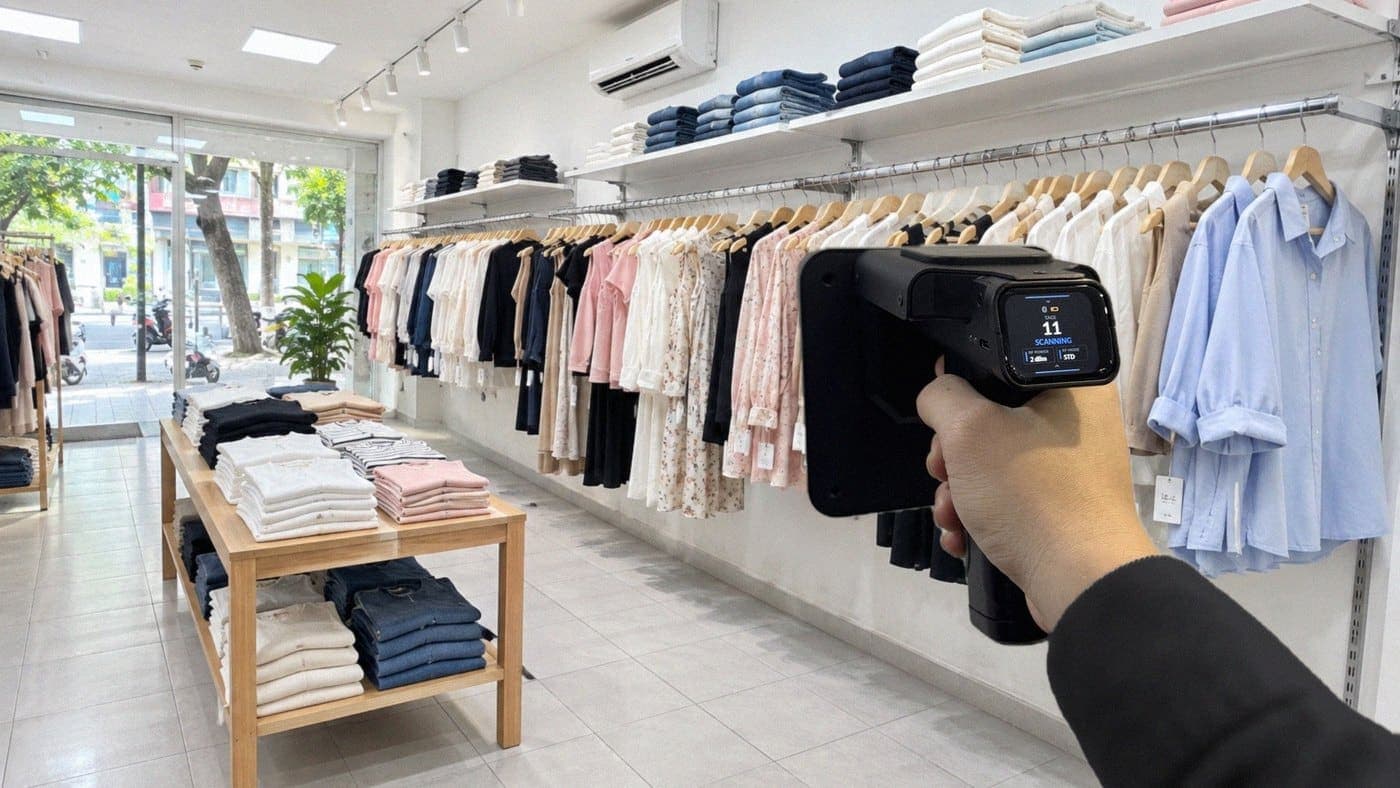
- Stock counts: walk along the shelves with the scanner instead of taking each item out to count it. The software compares the result with your stock and shows what's missing and what's extra.
- Finding items: pick the item on your phone and follow the scanner's beep.
- Receiving and goods out: put the goods on the desktop reader, and each item goes onto the form by its own code.
So "should I invest in RFID?" really means: how much are those three jobs costing your shop now? If they cost you almost nothing, RFID doesn't have much to help with. If they cost you a lot, that's exactly the part RFID speeds up.
6 signs your shop should consider RFID
1. One style turns into dozens of stock lines
One style in 4 colours and 5 sizes is 20 separate stock lines. A few hundred styles is a few thousand lines. Counting by hand means reading the right size and colour off every label, and that's where it's easy to slip.

Check: don't count styles. Pull the product list from your sales software and count it by colour and by size.
2. A stock count takes all day, so you close early or pay overtime
When counting is that much work, many shops count less often, and between counts the gaps pile up. With RFID the scanning part is far quicker: in a fashion customer's stockroom, counting 3,000 tagged items took about 15 minutes, with one person. That's scanning time only, before checking the gaps, and it depends on the goods and how the stockroom is laid out.

Check: how many hours and how many people did your last count take, and did you have to close or pay extra hours?
3. The software says you have it, the shelf says you don't
You know this one: a customer asks for an item, the software says it's in stock, staff can't find it, and the customer won't wait. Selling online it hurts in another way: the item has really sold out but orders keep coming in, and you have to cancel them. RFID doesn't stop that on its own. But when counting is quick, you can count more often, and the gaps show up sooner.
Check: keep a notebook at the counter for a week. Every time you can't find an item the software says you have, make a mark. If you sell online, count the orders you cancel because the item was gone.
4. Things end up in the wrong place and searching takes ages
A top tried on and hung back on the wrong rail, new stock still in a box in the back room, a display piece moved to another shelf. Nothing is lost, nobody just knows where it is. With RFID you pick that item in the app, start the search and follow the beep. Each time it reads the tag, the scanner turns its own power down, so you have to get closer to hear the next beep.
Check: time a few searches when staff go looking for something a customer asked for.
5. Several shops or stockrooms, with stock moving between them
Stock moving between shops, or from the stockroom to a shop, is where numbers slip most easily: say the sender writes 50 items and the receiver counts 48, and nobody's sure where the two went. Every tag has its own code, so scanning on arrival shows which items arrived, which didn't, and which weren't on the transfer at all. More locations also means more to plan: what each place needs and who scans.
Check: how many transfers you make a month, and how many times the receiving end's count didn't match.
6. Small, high-value goods
At a gold or jewellery shop every piece is worth real money and most are tiny, so checking piece by piece by eye is slow and tense. With RFID tags made for jewellery, the shop puts a whole tray on the reader to receive or send out stock, and at the end of the day opens the cases and scans inside with the handheld. Once the count is done, you know which pieces don't match the list, so you can check them the same day.
Check: how often the shop counts, how many people it takes, and how long.
Any of these that happens every week is worth sitting down to work out. If it only happens now and then, there's no rush.
When shouldn't you invest in RFID yet?
There are two kinds of "not yet": you don't need it yet, and you're not ready yet. Knowing which one you're in saves you from buying in a hurry.
You don't need it yet
- Few goods, few products. A count takes an hour or two and matches the software. RFID would be faster, but you wouldn't gain much.
- You already count quickly with barcodes and the numbers rarely drift. Barcodes work fine when labels are easy to see and there isn't too much stock. For how the two differ, see RFID vs barcode.
- Cheap goods on thin margins. Every item needs its own tag. If an item earns you very little, the tag takes a real bite out of that, so work it out first.
You're not ready yet
- Nobody looks after receiving stock in the software. RFID compares what it scans with the stock in your software. If new stock comes in without a tag and isn't received, the next count won't see it and the numbers stay off. Before you buy, decide who does this every time goods arrive.
- Most of your goods are metal or liquid. Both make tags harder to read, especially when the tag sits right against them. It can still work, but ask first about the right tag and where to put it on your goods.
- What you need is sales software. The software that comes with the kit is Sense Inventory, which handles stock and stock counts. Sales, invoices and customers stay in the sales software you already use.
- You expect RFID to make your stock right by itself. The scanner only sees tagged goods, a tag paired to the wrong product still gives the wrong number, and the gaps still need someone to check them. These limits are covered in What is smart stock counting?
Check for yourself: should your shop invest in RFID?
You don't need a complicated spreadsheet. Over one week, note down the six numbers below. That's enough to tell whether RFID has something to help your shop with.

| Question | Where to get the number |
|---|---|
| 1. How many staff hours does one stock count take? | People times hours for your last count |
| 2. How many counts a year? | Your count schedule or this year's count records |
| 3. How many items were off at the last count? | The stock adjustment after that count, or the count report |
| 4. How many times a week can't you find an item the software says you have? | Tally marks in a notebook at the counter for one week. Online sellers: orders cancelled because the item was gone |
| 5. How long does it take to find one item? | Time it a few times |
| 6. How many items do you hold, and how many do you add each month? | Your sales software or purchase receipts |
How to read the results
Question 1 times question 2 gives your staff hours spent counting each year. This is the easiest part to work out, and it's the part RFID cuts the most. To give you a feel for it: in a fashion customer's stockroom, one person scanned 3,000 tagged items in about 15 minutes. That's one stockroom's figure, scanning time only, before checking the gaps. Your goods and layout are different, so the time will be too. Treat it as a reference point, not a promise.
Question 2 has a second meaning. Many shops count rarely because counting is such a chore. If each count were much quicker, would you count every week, or rotate through one group of goods at a time? That depends on how you organise your staff.
Questions 3, 4 and 5 are hard to turn into money: stock that's off, customers you couldn't sell to, hours spent searching. Don't add them up as guaranteed savings. Treat them as extra reasons: the bigger they are and the more often they happen, the more work RFID has to do.
Question 6 tells you how many tags you need. Every item needs one, both what you hold now and what comes in. That's the cost that grows with the number of items, covered in the next section.
Once you've noted them down, your shop will land in one of three places:
- You don't need it yet. Counting takes hardly any hours over a year, stock is rarely off, and staff seldom spend long looking for things.
- Worth looking into. Counting takes a lot of hours, or stock is often off, or finding things takes time. You don't need all three: one of them happening every week is enough to sit down and work it out.
- Sort out who does what first. The numbers are worth it, but nobody is looking after receiving, keeping stock up to date and tagging new goods. Settle that, then buy.
These six numbers tell you whether RFID is worth looking into. They don't tell you how much money you'll save once you buy. To take it further, bring these very numbers when you talk to a supplier.
What does your shop take on in return?
RFID cuts the counting, but it adds a few other jobs. If you're working out whether it's worth it, count these too.
- Tagging the stock you already have. This is the most work: put a tag on every item, then use the desktop reader to pair it with the right product, colour and size. You don't have to finish in a day. Do it one group of goods at a time.
- Tagging new stock as it arrives. When goods come in, tag them and receive them in the software. Skip that and the next count will be off again.
- Checking the gaps after every count. An item shown as missing isn't necessarily gone: it may be in the fitting room, at the counter, or just not scanned yet. Stock only changes when you choose to adjust it, so check first, then confirm.
- Counting untagged goods separately. The scanner can't see an item without a tag.
As for money: beyond the kit at the start, the cost that keeps going is tags, because new stock needs them too. Each cost, and how to estimate it for your shop, is in The cost of an RFID system.
If it's worth it, how do you start small?
Even once you've bought the kit, you don't have to tag the whole shop from day one. Go one group of goods at a time so staff get used to it, then widen it:
- Pick one group of goods. The one that's off most often, sells best or costs most, for example all your T-shirts or all your jeans. The 2,500 tags in the kit cover 2,500 items.
- Tag that group and enter its stock. Import your product list into the software from an Excel file, tag the items, then pair the codes on the desktop reader.
- Count that group on its own. The software lets you open a count by category, so the result only covers the tagged group and doesn't get mixed up with untagged stock.
- A few weeks later, note the numbers above again for this group only. Compare with before RFID: how long a count takes, how often you couldn't find something, how many items were off. Compare the same group only, not this group against the whole shop.
- If it's working, tag the next group, and keep up the habit of tagging new stock as it arrives.

How to scan, read the results and confirm stock adjustments is covered step by step in RFID stock counts for fashion retail. If you run several shops or a large stockroom, see the rollout steps in RFID implementation from A to Z.
What do you sell? Go to the page for your trade
Every trade tags its goods differently and has its own headaches. If you see your shop in the table below, the matching page goes into more detail for your kind of goods. Those pages are in Vietnamese for now.
| You sell | Where RFID helps most | Page |
|---|---|---|
| Clothing, with a shop | Walk the shelves with the scanner to count, and find the exact size and colour | RFID for clothing shops |
| Shoes and bags | Sweep along shelves and stacks of boxes without opening each box to read the label | RFID for shoes and bags |
| Online, on TikTok Shop or Shopee | Count your online stockroom, and put orders on the reader to send them out | RFID for online sellers' stockrooms |
| Fabric and trims | Scan a whole row of rolls instead of turning each one to find the colour code | RFID for fabric stockrooms |
| Mattresses and bedding | Scan a whole stack of mattresses without taking it down to count | RFID for mattress stockrooms |
| Gold and jewellery | Put a whole tray on the reader, and count the whole shop at the end of the day | RFID for gold and jewellery shops |
| Hotels and resorts | Scan a whole shelf of towels, sheets and uniforms instead of counting piece by piece | RFID for hotel linen and uniforms |
| Other retail | Stock counts, finding items, goods in and out for one shop or one stockroom | Retail Starter Kit |
Selling fashion but not sure which group you're in? See the overview page on RFID for fashion sellers (in Vietnamese).
Retail Starter Kit: the kit to start with
For retail shops, the Nextwaves Retail Starter Kit has what you need to start in one shop or one stockroom, for $1,199 for the full kit (excluding VAT):
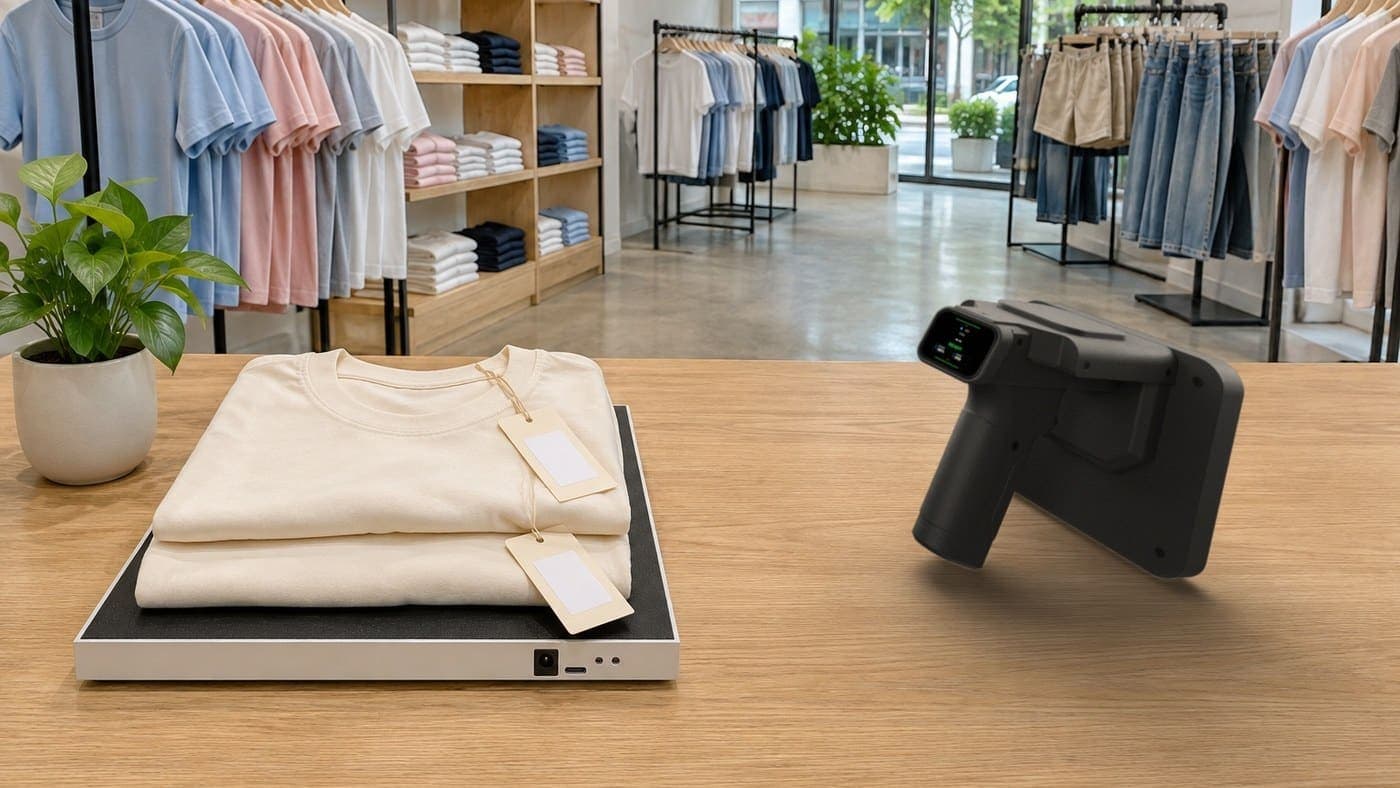
- 1 handheld RFID scanner that pairs with your phone over Bluetooth, to count stock and find any single item.
- 1 desktop RFID reader that plugs into your computer over USB, to pair tags with products as goods arrive.
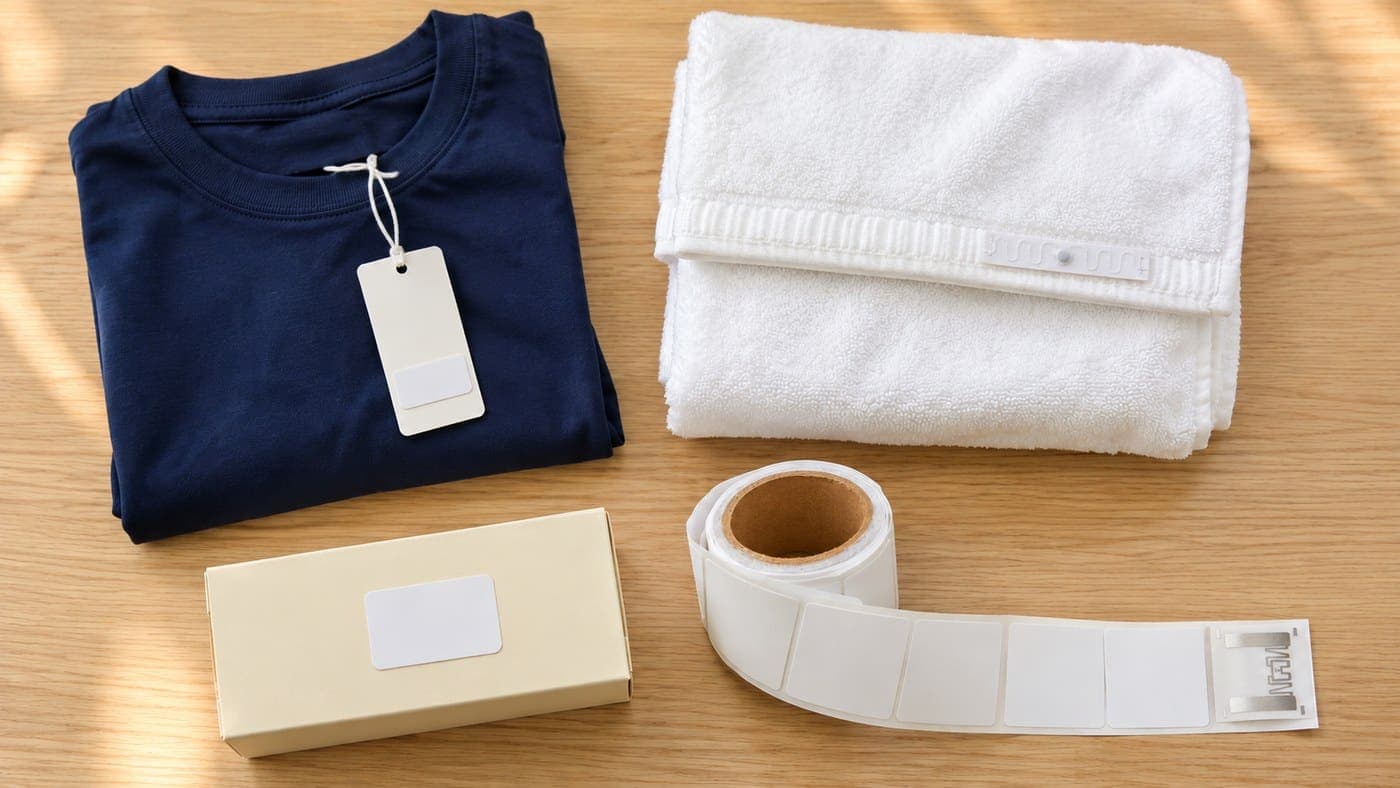
- 2,500 RFID tags, enough for 2,500 products.
- Sense Inventory Essentials stock software, $0/month.
Both devices are made by Nextwaves. The price includes free shipping in Vietnam, setup support, training at handover, and phone and chat support after handover. Gold shops and hotels have their own kits, on their pages in the table above.
Noted down your six numbers and still not sure? Answer 9 questions on the kit page, which takes about 30 seconds, or fill in the form below. When Nextwaves calls you back, they'll ask how you count stock today and how long it takes, estimate how many tags you need and the cost for your shop's size, and tell you plainly if the kit isn't right for your shop.
Frequently asked questions
Should a small shop use RFID?
It depends on your goods, not your floor space. A small shop with few products that counts in an hour or two doesn't need it yet. A small shop where one style comes in many colours and sizes, a count takes half a day and staff often can't find things, should work it out. The quickest way is to note down the six numbers from the self-check for one week.
How long does an RFID investment take to pay back?
There's no single payback point for every shop, so Nextwaves doesn't give one. Shops differ in staff hours per count, how often they count, how much stock they hold, how many items are off and how many tags they need. Start with the six numbers from the self-check, then put them next to your shop's real costs.
Do I have to drop barcodes if I use RFID?
No. Barcodes still work at the till just as before. RFID handles the stockroom jobs: counting, finding items, goods in and out. For how the two differ, see RFID vs barcode.
Do I have to tag all my stock straight away?
No. You tag one group of goods at a time and count that group on its own first. The scanner can't see untagged items, so count those separately until they're tagged.
Does RFID work with metal or liquid goods?
There are limits. Metal and liquids can make tags harder to read, especially when a tag sits right against them. Nextwaves will advise you on the right tag and where to place it on your goods before you buy.
I use KiotViet, Sapo or Haravan. Do I have to switch?
No. You keep selling and invoicing as you do now. Sense Inventory looks after stock and stock counts on its own.
What does the included software do?
Sense Inventory Essentials is stock software at $0/month. It covers the core stock jobs: pairing tags with products, goods in, goods out, counting and finding items with RFID, and seeing your stock on your computer and phone. Sales, invoices and customers stay in the sales software you already use.
What if I need a new feature later?
Sense Inventory is one shared version for every customer. New features, if added, reach everyone at the same time, so Nextwaves doesn't set dates for individual requests. That's why it's worth telling Nextwaves how your shop manages stock before you buy, so they can check whether the software as it is today covers it.