Nextwaves Easy Inventory
Full inventory, POS, kiosk, RFID, and reporting for growing retail teams. Easy to use on day one, with AI guidance that helps managers know what to fix next. Switch smoothly from KiotViet, Sapo, Excel, and more.
Receiving stock in
Start fast. Keep selling while you switch.
Focus first on the store work that must run today: products, opening stock, stock-in, stock-out, users, payments, and receipts. Then add RFID, kiosk, and AI guidance without replacing the core flow again.
Move your catalog and stock
Import products, prices, categories, customers, barcodes, opening stock, and stock-in files from KiotViet, Sapo, Excel, CSV, or your current POS.
Run stock-in and selling
Receive new stock, stock out damaged items, configure POS, receipts, payments, cashier sessions, and daily close for the first store.
Train by role
Give cashiers, warehouse staff, and managers simple screens, so each team learns only the work they own.
Expand when ready
Add RFID checks, self-service kiosk, security gates, customer reports, and AI suggestions as the operation grows.
Everything for inventory and sales in one system.
Built for shops and warehouses that need fast checkout, clean stock movement, accurate counts, readable reports, and device support without stitching tools together.
Catalog and pricing
Products, variants, units, taxes, categories, images, barcodes, RFID tags, and bulk import.
Stock and warehouses
Stock-in, stock-out, adjustments, transfers, receiving, on-hand levels, and activity history.
POS and payments
Fast checkout, cart, customer lookup, vouchers, refunds, cashier sessions, receipts, and daily close.
Kiosk and hardware
Self-service kiosk, barcode scanners, RFID readers, gates, receipt printers, and payment terminals.
Reports and AI
Daily sales, inventory health, product performance, voucher results, and manager action suggestions.
Team control
Users, roles, permissions, store settings, notifications, payment setup, print templates, and activity history.
POS, kiosk, RFID, and reports built into one operation.
Counter checkout, self-service kiosk, RFID readers and gates, and the reports center all share the same products, prices, vouchers, and stock so the team never reconciles tools.
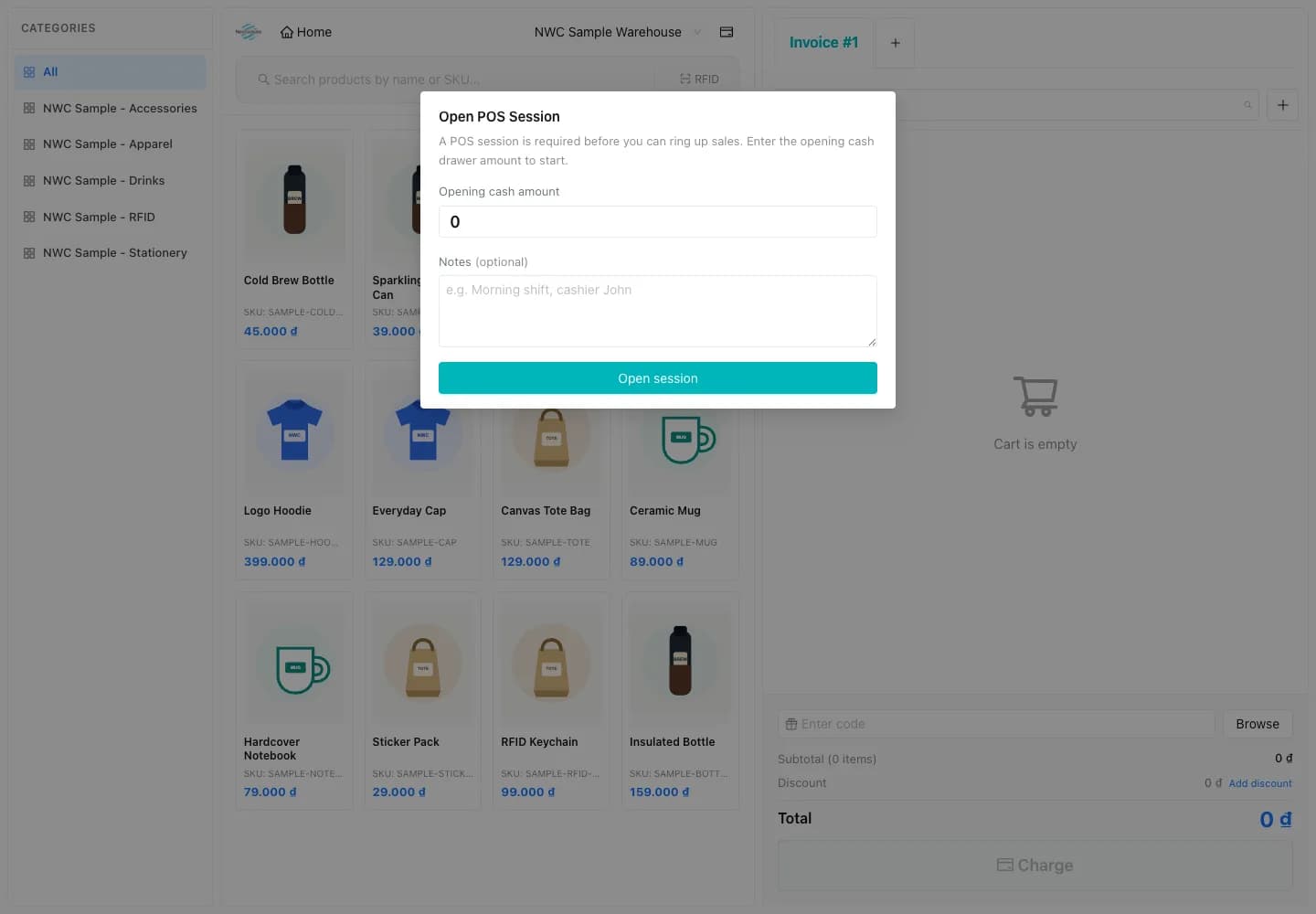
Counter checkout that keeps the line moving
A fast POS for cashiers with cart, customer lookup, voucher, refund, and cashier-session controls. Designed for shops that need to ring up sales while keeping margins, returns, and shifts clean.
- Cart, voucher, refund, and cashier session in one screen
- Customer lookup with loyalty points and order history
- Cash, card, e-wallet, QR, and split payment with daily close

Readers and gates managed from one screen
Pair fixed readers, handhelds, antennas, and security gates to each store. The reader fleet view shows live signal, last read, and assignment so on-floor RFID stays predictable for stock-in, counts, and exit checks.
- Live signal, last read, and pairing per reader
- Per-store and per-gate assignment with role-based access
- Drop-in for stock-in, cycle counts, and security gates

Self-service kiosk customers can use without help
Customer-facing kiosk for product lookup, self-checkout, and order pickup. Shares the same catalog, prices, and vouchers as the POS so the offer never drifts between counter and kiosk.
- Product lookup with stock and price in real time
- Self-checkout with QR, card, and pickup code support
- Same catalog, vouchers, and tax rules as the POS

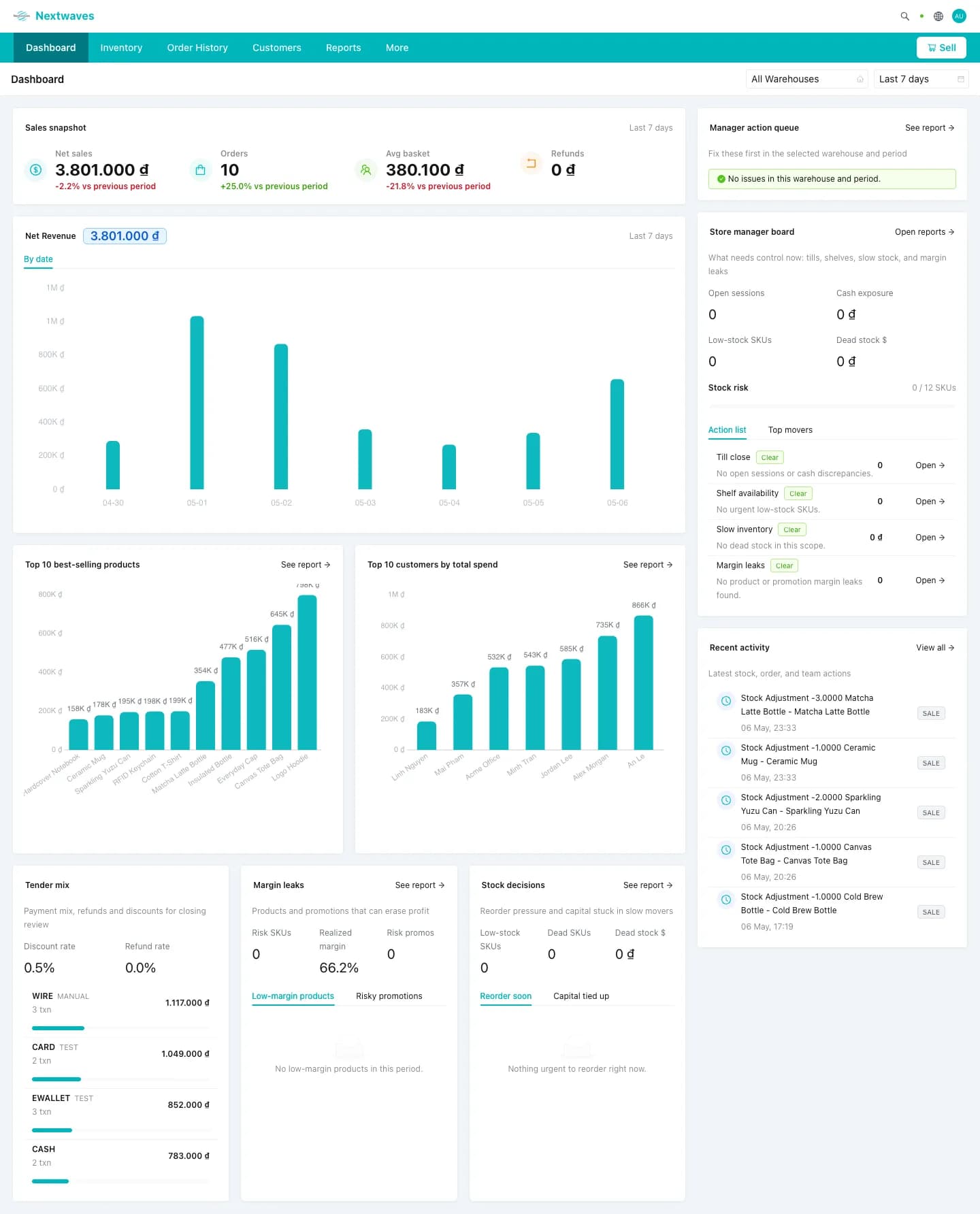
Reports center with answers, not raw data
Daily sales, inventory health, voucher results, payment health, and product performance are all in one center. Export, schedule, or share so accounting and store managers stop chasing exports.
- Daily sales, refunds, and shift close in one view
- Inventory health, low-stock, and aged-stock tracking
- Schedule and share with accounting, finance, and stores

Know what needs attention before it becomes a problem.
The manager board surfaces low stock, slow movers, payment risk, margin drops, and unusual store activity in plain language.
Stock-in, stock levels, and RFID import, one clear screen at a time.

Start with products, stock, users, payments, and receipts before adding advanced workflows.
Operators can receive stock and see quantity by warehouse and product without jumping across tools.
Use barcode today and turn on RFID import when the store is ready for faster counts.
Go live in one day. Grow into the full system.
Start with stock-in, stock-out, and the store workflow your team needs now, then turn on RFID, kiosk, and AI guidance when you are ready.