RFID lets a gold shop read many pieces at once instead of counting tray by tray by hand. But a count can only be trusted when three things are right together: the tag on each piece, the way staff scan, and the records in the software. Small daily habits, such as tagging in a hurry at goods-in, scanning from outside the glass or handing a piece to a customer without recording it as out, can all leave the count out of line with what is really there.
The 30-second version
- A tag only counts as a piece once it is received into stock in the software.
- Keep only the pieces you are reading on the reader. Other trays and tag rolls stay away.
- The right number is not always the right pieces. Check the products, not just the total.
- Open the case and scan inside, or put the tray on the reader. Don't scan through the glass.
- Before a count, record everything sold, sent to the goldsmith or moved to another branch.
- Missing does not mean lost. Rescan and look for the piece before adjusting stock.
Where do RFID counting mistakes come from?
An RFID reader only reports the tags it reads. The software compares that list with stock on record. So a piece shown as "missing" can come from three very different places:
- The tag: on the wrong piece, folded or covered, so it is hard to read.
- The scan: through the glass, too fast, a case skipped, or the reader picking up the tray next to it.
- The records: a piece tagged but never received into stock, or sold, sent to the goldsmith or moved to another branch without being recorded.
When tagging at goods-in
A mistake here carries into every count after it, so this is the step worth doing slowly and carefully.
A tag must be received into stock in the software
In Sense Inventory, the Nextwaves stock counting software, a tag becomes a piece in stock only when it is scanned into a goods receipt. Registering a tag code on its own does not change stock. A tagged piece that is not on a goods receipt shows up as an unknown tag in a count and is not counted as stock. So finish the receipt and check the count before the pieces go into the case.
One product at a time on the reader
At goods-in, staff choose the product on the receipt, turn on auto scan and place that product's pieces on the reader. Every tag read becomes one piece of the chosen product. A tray in a gold shop often holds several designs. Put a whole tray on the reader in one auto-scan pass and every tag the reader picks up is recorded under the same product. Another tray or an unused roll of tags near the reader can be picked up too. So:
- Sort pieces by product before receiving. Keep only the pieces of the product being received on and around the reader.
- When one product is done, turn auto scan off before moving to the next.
- Before completing the receipt, compare the number of tags read with a hand count. If the two differ, a tag was missed or a stray tag got in. Equal numbers are not proof either: one missed tag and one stray tag give the same total, so look over the list of codes on the receipt.

Attach the tag properly on jewellery
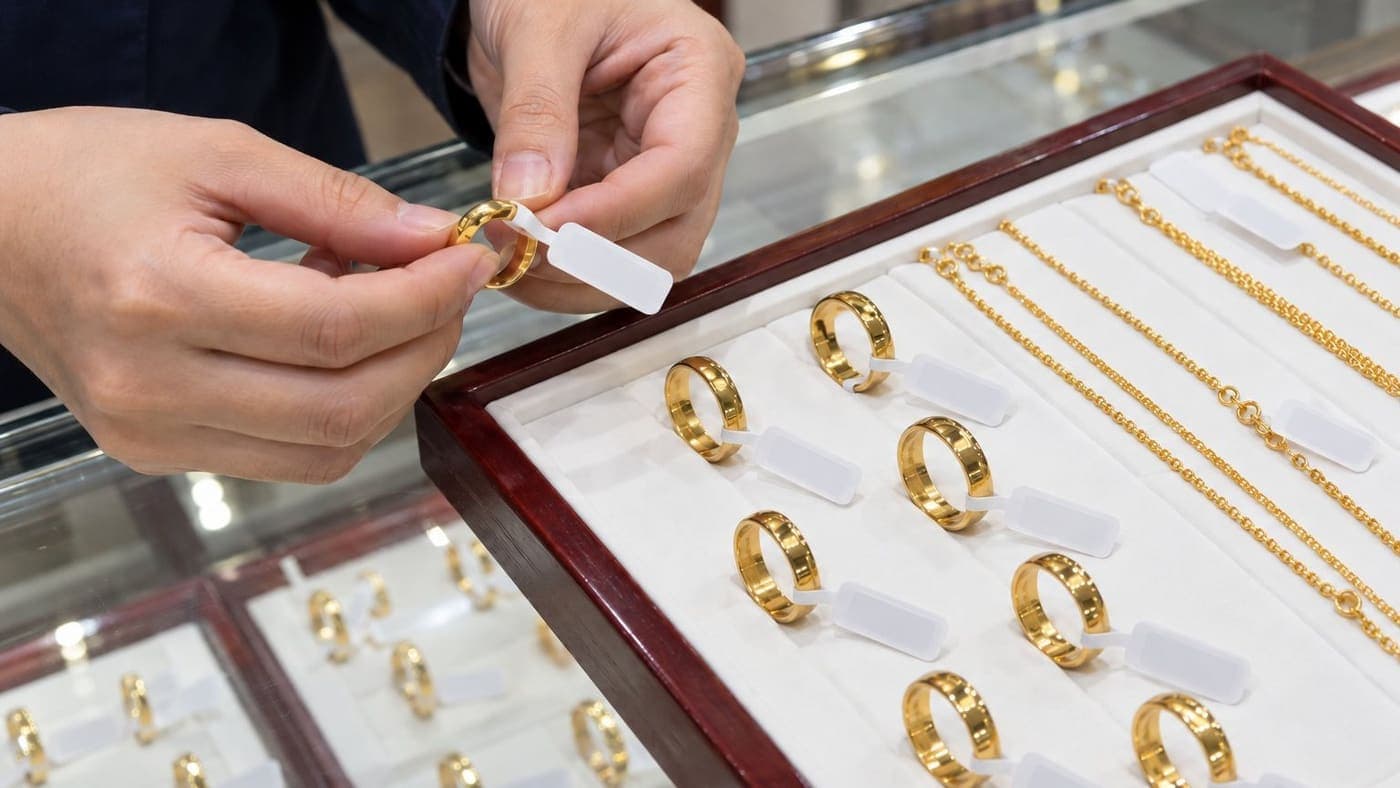
The jewellery RFID tag (page in Vietnamese) is a dedicated type, 100 × 17 mm. Its antenna sits outside the piece, away from the metal, so the tag still reads on gold. When attaching it:
- Leave the antenna part outside. Don't press it flat against the piece.
- Don't fold the tag. A folded tag reads unreliably.
- For earrings and small pendants, tag a few pieces and test-read them before tagging the whole batch. Nextwaves works out how to attach tags for each type with the shop during setup.
First rollout: tag everything already in stock
At the start, the shop tags every piece it manages, in the display cases and in the safe or any other storage, and receives them into the software as opening stock. Then it counts the whole shop once to confirm the software matches what is really there. This is the baseline for every later count, so if the baseline is wrong, every count after it is off too.
When arranging trays and cases
RFID reads many tags at once without needing to see them. But a tag that is fully covered, trapped under another piece or stacked on another tag is easy to miss.
- Neat, not packed. If a tray keeps showing pieces missing, put fewer pieces on it or turn the tags another way.
- Don't trap tags. With chains and bracelets laid out along a tray, don't let one lie across the tag of the next. With rings set in a tray, keep the tag outside rather than tucked into the slot. A tag under a bangle or at the bottom of a box is easy to miss.
- Check the tag after a customer looks. Once a customer has looked at or tried on a piece, staff check the tag before putting it back: intact, not folded, not torn.
- A new tag means a new code. A wet tag still reads. Test-read a torn, broken or loose tag and replace it if it reads poorly. Each tag carries its own code, so a replacement tag must be updated against that piece in the software the same day. Otherwise the piece shows as missing under its old code and the new tag shows as unknown.
When putting a tray on the counter reader
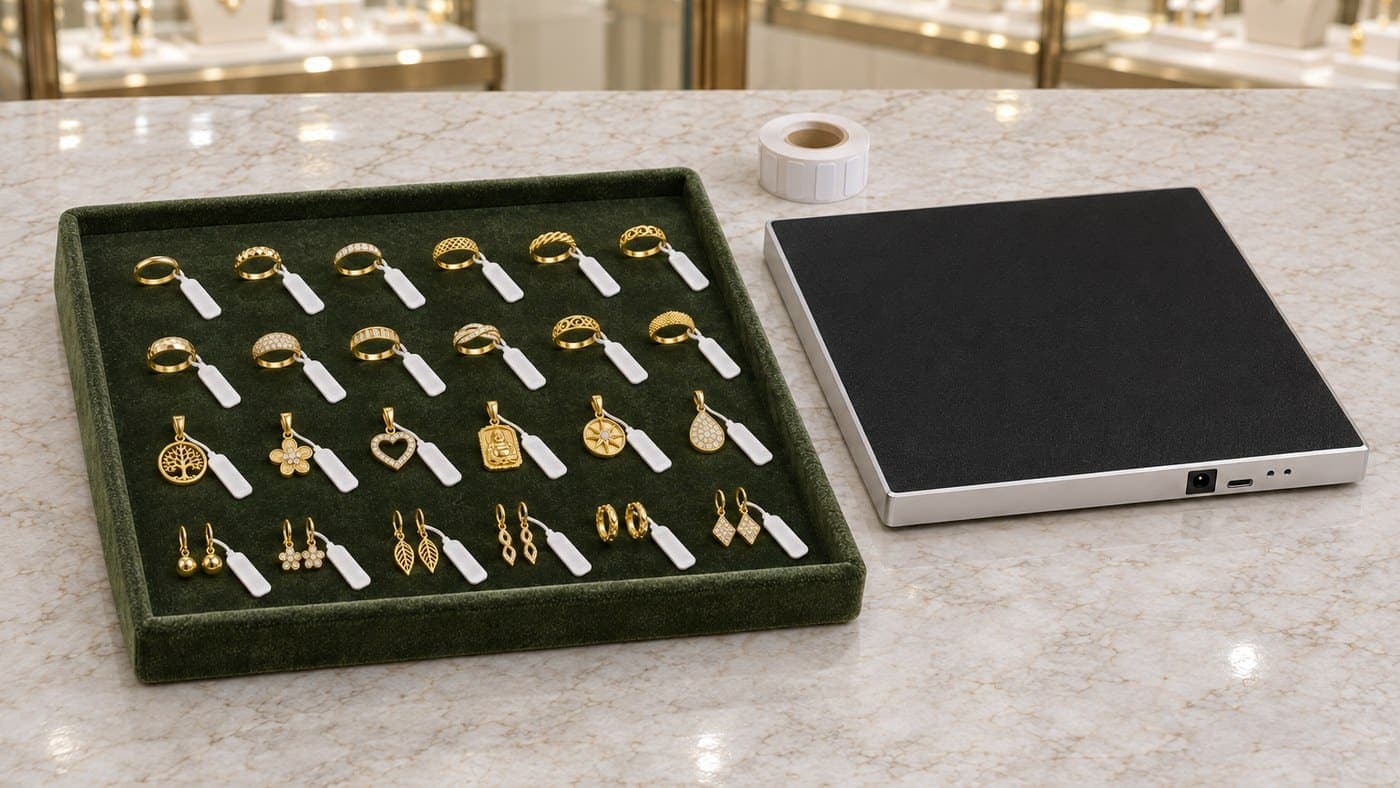
The desktop reader reads every piece on the tray placed on it at once, so goods in and out at the counter don't need scanning piece by piece. But the reader only reads tags. A piece is recorded as in or out only when staff open the right document in the software and complete it. The more cluttered the counter, the easier it is to misread.
- One tray at a time. Waiting trays, tag rolls and unprocessed pieces stay away from the reader. When receiving with auto scan, a tray with several designs is still split by product as described above, not scanned whole.
- Right pieces, not just the right number. Before completing the document, the number of pieces read must match the tray, and the lines on the document must be the right products.
- A piece handed to a customer must be recorded as out. Selling, weighing and pricing stay in the shop's own gold retail software. If that software is not connected to Sense Inventory, staff create a goods issue in Sense Inventory, place the piece on the reader to scan it into the issue, and complete it. Placing a piece on the reader without a goods issue does not change stock. A piece that is sold but not recorded will show as missing in the next count.
- Keep removed tags away from the cases and the reader. If the shop removes tags when handing pieces over, collect them in one separate place. A sold piece's tag left in a case is still read in a count and shows up as extra or as an unknown tag, muddling the result.
Once the maker of the gold retail software has connected it to Sense Inventory through the Nextwaves API/SDK, goods issues can follow the sales data. In that case, ask the software maker exactly how the two systems update each other, so nobody records the same thing twice.
When counting at the end of the day with the handheld
Before scanning: check documents and where stock is kept
The software compares what is scanned with stock on record. A piece moved from the case to the safe is still the shop's stock and needs no goods issue, but a whole-shop count must scan the safe too. A piece sold, sent to the goldsmith or moved to another branch without the records knowing will show as missing, even though nothing is lost. Before each count, check:
- Have today's sales been recorded as out?
- Have pieces sent to the goldsmith for repair been recorded?
- Do pieces moved to another branch have a transfer, and has the receiving branch confirmed it? Goods in transit belong to no branch, so when many pieces show as missing at once, the usual cause is a pending transfer.
- Have today's goods receipts and issues all been completed?
If several people count together, agree on one start time so everyone works from the same point.
Open the case and scan inside
Scanning from outside the glass tends to miss pieces. Open the case and bring the reader close to the trays. In a case with several shelves, scan one shelf at a time.

Scan case by case in a fixed order
- Use the same order every time, for example left to right and top to bottom, finishing one case before the next, so you don't skip or repeat a case. A fixed route can still miss a covered tag, so check the list of missing pieces after scanning.
- Move the reader slowly and steadily. Don't sweep a whole row of cases in one pass.
- Watch the number of pieces, not the number of reads. One tag can be read hundreds of times and is still one piece.
- The handheld's power can be set in the app. Cases in a gold shop usually stand close together, and higher power widens the read zone and can pick up the next case, so raise it only when scanning close still misses pieces.
Nextwaves estimates about 30 minutes for some 3,000 pieces with one person. Actual time depends on the number of cases, how pieces are laid out and how many need checking again when there are differences.
Counting one product group at a time
You can count the whole shop, or only a group such as rings, chains or earrings, if stock is organised into categories in the software. When you count one group, the result only covers that group. Pieces from other groups that get read are listed separately under Outside the audit scope and left out of the result, so don't use one group's result to judge the whole shop.
Offline counts work, but sync before finalising
Counting in the phone app works without a connection, and the result is saved on the device. Once the connection is back, open the app and finish syncing before you look at or finalise the result on the web. Otherwise the web will be missing the pieces scanned offline.
Reading the result: missing does not mean lost
After scanning, Sense Inventory sorts the result into groups. On the web these are Fully scanned, Missing, Extra, Unknown tags, Duplicate and Not counted; the phone app shows a shorter set of tabs. The table uses the web names. Fully scanned has no difference to resolve. The other groups are the ones to look at closely.
| Group | Meaning | In a gold shop, usually because | What to do |
|---|---|---|---|
| Missing | On record, not found by scanning | A sale or a repair job not recorded; a branch transfer still pending; a covered or damaged tag; scanning through glass or skipping a case | Check pending documents, rescan the doubtful area from another angle, look for the piece before recording a loss |
| Extra | Scanned here, not on record here | New stock not yet on a receipt; a sold piece's tag left in a case; another branch's piece put here by mistake | Match the tag against the actual piece and the related documents. Create an extra receipt only when you are sure the piece was never received |
| Unknown tags | A tag that matches no piece in stock | A tagged piece never received; unused or removed tags near the reader | Note the code, find where the tag is, deal with it after the count; this group never counts as a difference |
| Duplicate | The same tag read more than once | An area scanned twice; tags stacked on each other | Check the scanning route and how tags are attached; many reads are still one piece |
| Not counted | Pieces not reached yet | A case skipped, the scan stopped halfway | Scan the places not yet covered. Exclude pieces only when they really don't belong to this count |

Finding a piece shown as missing
In the app, choose the piece, start Find Item and follow the handheld's beep. Each time it reads the tag, the reader lowers its power, so you have to move closer to keep hearing it. The beep narrows down the area; staff still check with their own eyes that it is the right piece.
Lock the result first, adjust stock later
When you finish a count, the software offers Just complete (keep the result, stock unchanged) or Finalize & Adjust stock (write every difference into stock). If some pieces are still missing or extra with no clear reason, just complete the count so the owner or manager can check the tags, the receipts and issues and the actual pieces, and adjust afterwards. Don't adjust just to make the numbers match while the reason for a gap is still unclear. The full steps are in the Sense Inventory stock count guide.
Agree on one way to receive, issue and count
RFID gives steady results when every staff member works the same way. A short checklist at the counter is usually enough:
| When | What to do |
|---|---|
| Goods-in | Tag each piece, one product at a time on the reader, compare tags read with pieces before completing the receipt |
| A customer looks at or tries on a piece | Check the tag before putting the piece back |
| Sale, repair job, branch transfer | Sale: goods issue. Branch: transfer. Goldsmith: record it the way the shop has agreed. Do it straight away, not at the end of the day |
| Before a count | Complete any pending receipts, issues and transfers |
| During a count | Open the case, scan along a fixed route, watch the number of pieces |
| After a count | Look for missing pieces; adjust stock only once the reason is clear |
As for how often: a shop can count everything at the end of each day, or count one product group a day. The more regularly it counts, the sooner a gap shows up, while everyone still remembers what happened that day.
The RFID kit for gold shops
The Nextwaves RFID kit for gold shops (page in Vietnamese) costs 29,990,000 VND excluding VAT and includes:
- 1 desktop RFID reader for the counter, plugging into the computer by USB.
- 1 handheld RFID reader for counting the whole shop, connecting to a phone over Bluetooth.
- 2,500 jewellery tags (1 roll).
- Sense Inventory Essentials stock counting software, with no monthly fee.
The price includes system setup, staff training at handover and a 12-month device warranty. During setup, Nextwaves works out with the shop how to tag each type of piece. A shop already using dedicated gold retail software does not need to change it.
If you are wondering whether the tag suits the rings, earrings and pendants you sell, or want to use RFID while keeping your current gold retail software, leave your details below. Nextwaves will ask about your stock and how your shop works before recommending a kit.
Frequently asked questions
Does an RFID tag read when it is attached to gold?
Yes, with a tag made for jewellery. Its antenna sits outside the piece, away from the metal. How well it reads still depends on how the tag is attached and how pieces are arranged.
Can I scan through the glass of the case?
It is better not to. Scanning from outside the glass tends to miss pieces. Open the case and scan inside with the handheld, or put the tray on the desktop reader.
Does a wet tag stop working?
A wet tag still reads. Test-read a folded, torn or broken tag and replace it if needed. When you replace a tag, update the new code against that piece in the software.
Can I count without an internet connection?
Yes. Counting in the phone app works offline. The result is saved on the device; once the connection is back, finish syncing before you look at or finalise the result on the web.
How often should a shop count?
It depends on the number of pieces and how fast they sell: count the whole shop at the end of each day, or split by product group and count part of it each day. What matters is counting regularly and everyone doing it the same way.
Can RFID replace scales or gold retail software?
No. RFID identifies each piece so goods in, goods out and counts are faster. Weighing, testing gold purity, pricing and selling stay with the shop's existing equipment and software. An RFID tag also cannot prove where gold came from; that still rests on invoices and documents, as covered in Gold Shops After Decree 390/2026.