
Nextwaves Easy Inventory
Full inventory, POS, kiosk, RFID, and reporting for growing retail teams. Easy to use on day one, with AI guidance that helps managers know what to fix next. Switch smoothly from KiotViet, Sapo, Excel, and more.
Set up products, users, opening stock, stock-in, checkout, and reports so the first store can operate quickly.
Import product, customer, price, barcode, and stock files from the systems your team already uses.
Stock-in, stock-out, transfers, POS, kiosk, reports, receipts, payments, and permissions.
Start fast. Keep selling while you switch.
Focus first on the store work that must run today: products, opening stock, stock-in, stock-out, users, payments, and receipts. Then add RFID, kiosk, and AI guidance without replacing the core flow again.
Move your catalog and stock
Import products, prices, categories, customers, barcodes, opening stock, and stock-in files from KiotViet, Sapo, Excel, CSV, or your current POS.
Run stock-in and selling
Receive new stock, stock out damaged items, configure POS, receipts, payments, cashier sessions, and daily close for the first store.
Train by role
Give cashiers, warehouse staff, and managers simple screens, so each team learns only the work they own.
Expand when ready
Add RFID checks, self-service kiosk, security gates, customer reports, and AI suggestions as the operation grows.
Everything for inventory and sales in one system.
Built for shops and warehouses that need fast checkout, clean stock movement, accurate counts, readable reports, and device support without stitching tools together.
Catalog and pricing
Products, variants, units, taxes, categories, images, barcodes, RFID tags, and bulk import.
View functionsStock and warehouses
Stock-in, stock-out, adjustments, transfers, receiving, on-hand levels, and activity history.
View functionsPOS and payments
Fast checkout, cart, customer lookup, vouchers, refunds, cashier sessions, receipts, and daily close.
View functionsKiosk and hardware
Self-service kiosk, barcode scanners, RFID readers, gates, receipt printers, and payment terminals.
View functionsReports and AI
Daily sales, inventory health, product performance, voucher results, and manager action suggestions.
View functionsTeam control
Users, roles, permissions, store settings, notifications, payment setup, print templates, and activity history.
View functionsStock-in, stock levels, and RFID import, one clear screen at a time.
The visual stays focused. Every screenshot stays inside the same frame, then slides to the next day-one workflow.
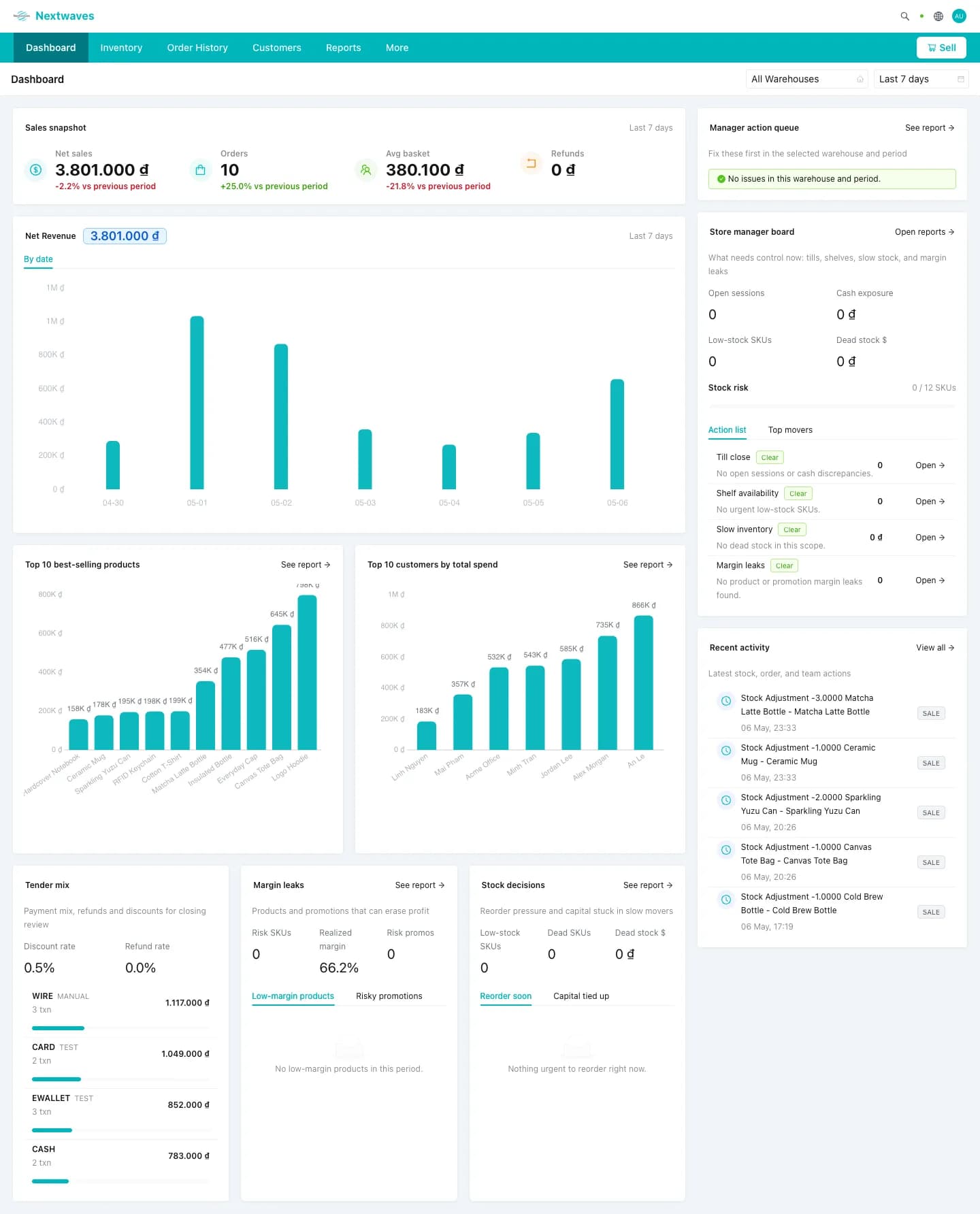
Dashboard overview
See sales, orders, alerts, and manager actions in one board before opening detail pages.
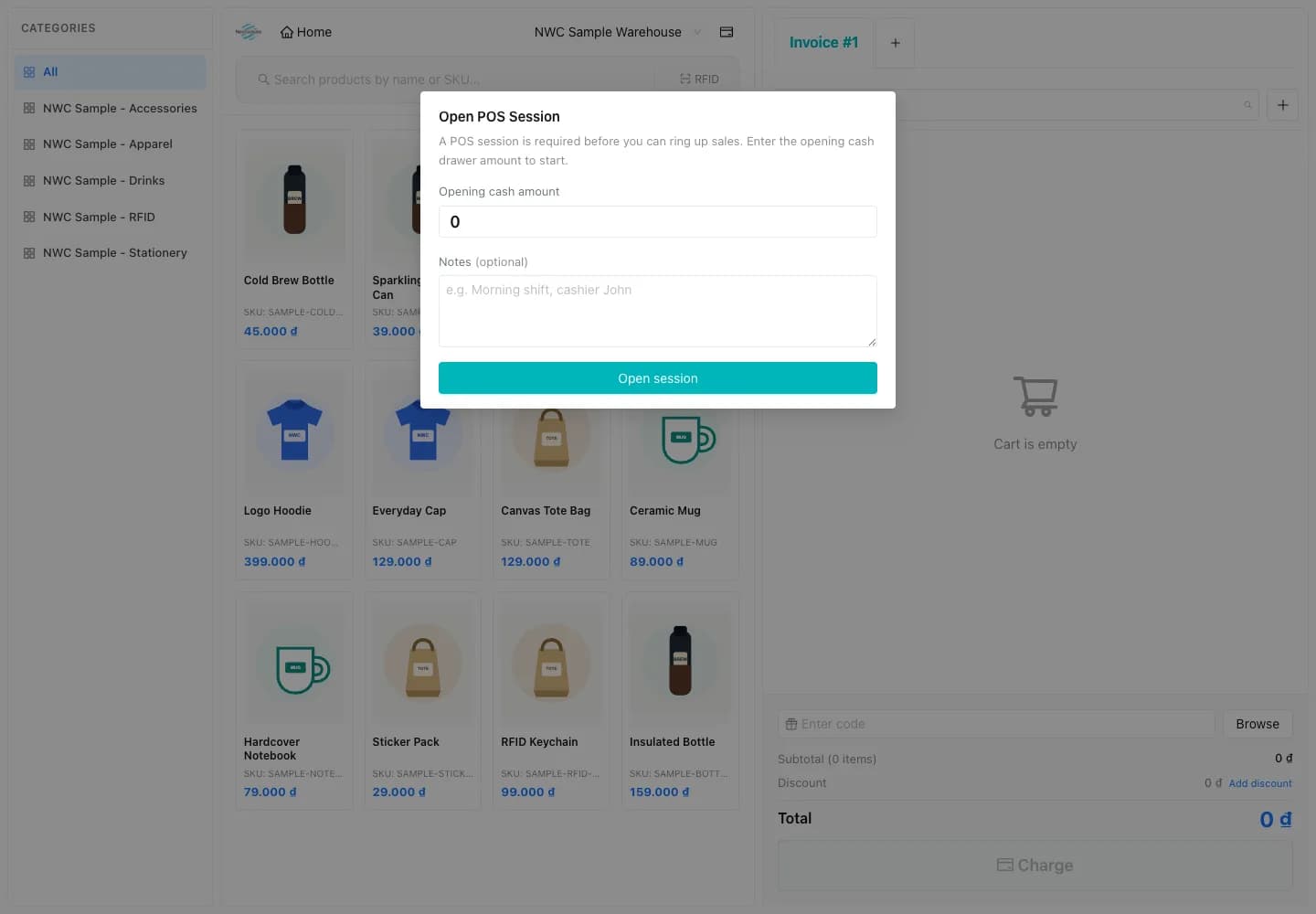
POS, kiosk, RFID, and reports built into one operation.
A fast POS for cashiers with cart, customer lookup, voucher, refund, and cashier-session controls. Designed for shops that need to ring up sales while keeping margins, returns, and shifts clean.
- Cart, voucher, refund, and cashier session in one screen
- Customer lookup with loyalty points and order history
- Cash, card, e-wallet, QR, and split payment with daily close
Know what needs attention before it becomes a problem.
The manager board surfaces low stock, slow movers, payment risk, margin drops, and unusual store activity in plain language.
AI for daily managers
The manager board surfaces low stock, slow movers, payment risk, margin drops, and unusual store activity in plain language.
Low stock to reorder
Items likely to run out before the next replenishment cycle.
Slow sales to review
Products selling below their normal daily movement.
Dead stock candidate
Inventory with little or no recent demand.
Aged stock over 90 days
Older inventory that should be discounted, bundled, or moved.
Stockout risk this week
Fast-moving items projected to run out this week.
Margin drop detected
Products or orders where profit changed unexpectedly.
Payment risk to check
Payments, refunds, or cash movement that need review.
Unusual store activity
Store behavior outside the normal operating pattern.
First store live
Start with products, stock, users, payments, and receipts before adding advanced workflows.
Stock-in visible
Operators can receive stock and see quantity by warehouse and product without jumping across tools.
Reader-ready
Use barcode today and turn on RFID import when the store is ready for faster counts.
Go live in one day. Grow into the full system.
Start with stock-in, stock-out, and the store workflow your team needs now, then turn on RFID, kiosk, and AI guidance when you are ready.