
 Sense Inventory
RFID inventory software, set up the way you work
Sense Inventory is ready to use from day one. Switch on the features you need, count a whole shelf in one pass with RFID, and see the same stock on the web and on the phone. New features reach your account as they ship.
- Handheld, desktop and gate RFID readers
- Connects to Sapo, KiotViet, Haravan and Odoo
- Web app, plus iOS and Android
Ready on day one, set up your way
You start with a complete product, then shape it around your stock, your team and the way you work.
Sense Inventory
Ready for you
- Stock in, stock out and RFID stock counts, ready to use
- The web app, and the app for iPhone and Android
- New features, added to your account as they ship
Your Settings
Yours to decide
- Which features are switched on
- Your products, warehouses and stock
- Who sees what, and who can do what
- Label templates, language and time zone
- Connections to Sapo, KiotViet, Haravan and more
On the computer and on the phone
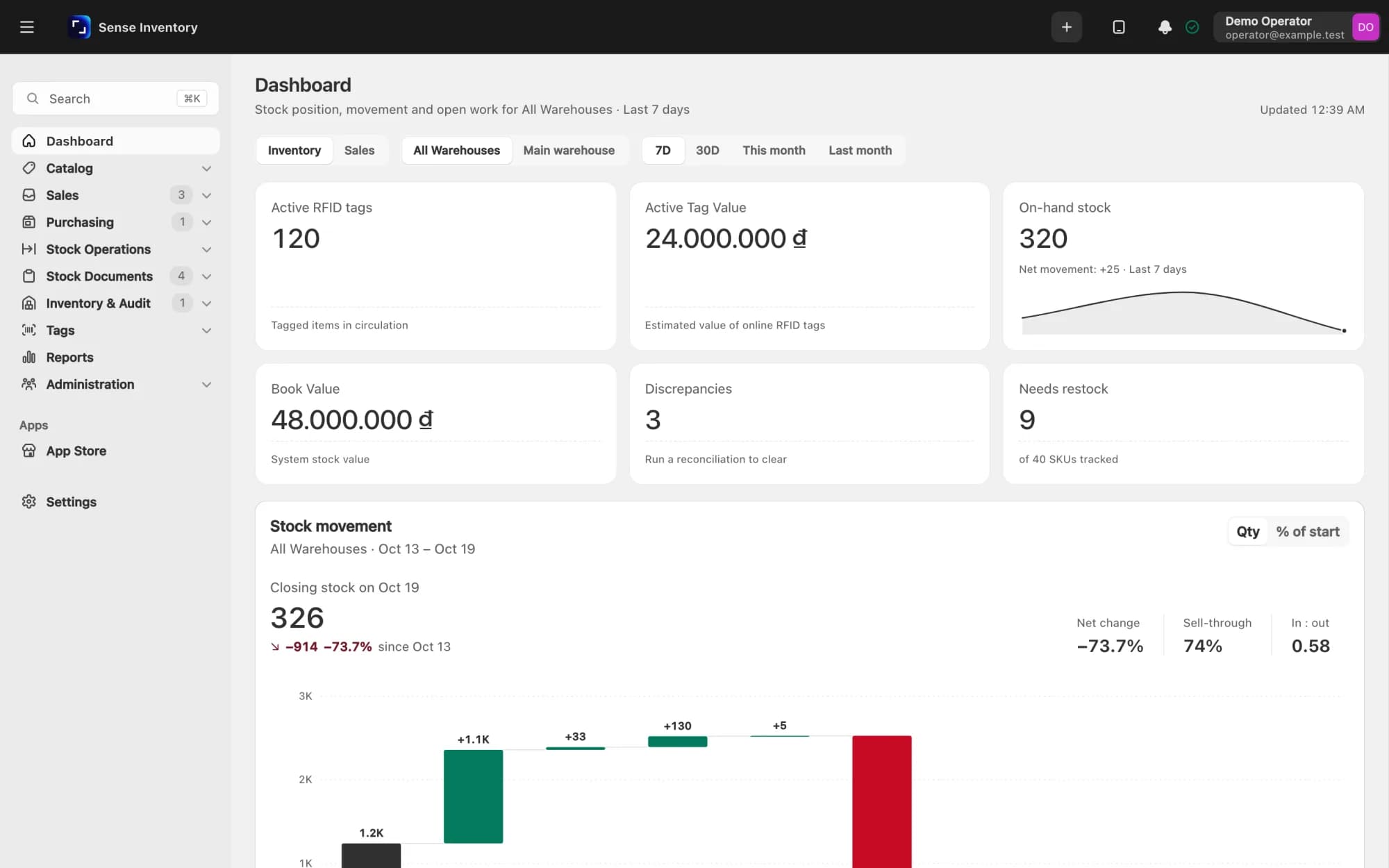
The office works in the web app. The warehouse floor works on a phone paired with an RFID reader. Both see the same stock, as it changes.
Web app
For the office
The Dashboard, stock documents, reports and Settings, with every warehouse in one place.
iOS · Android
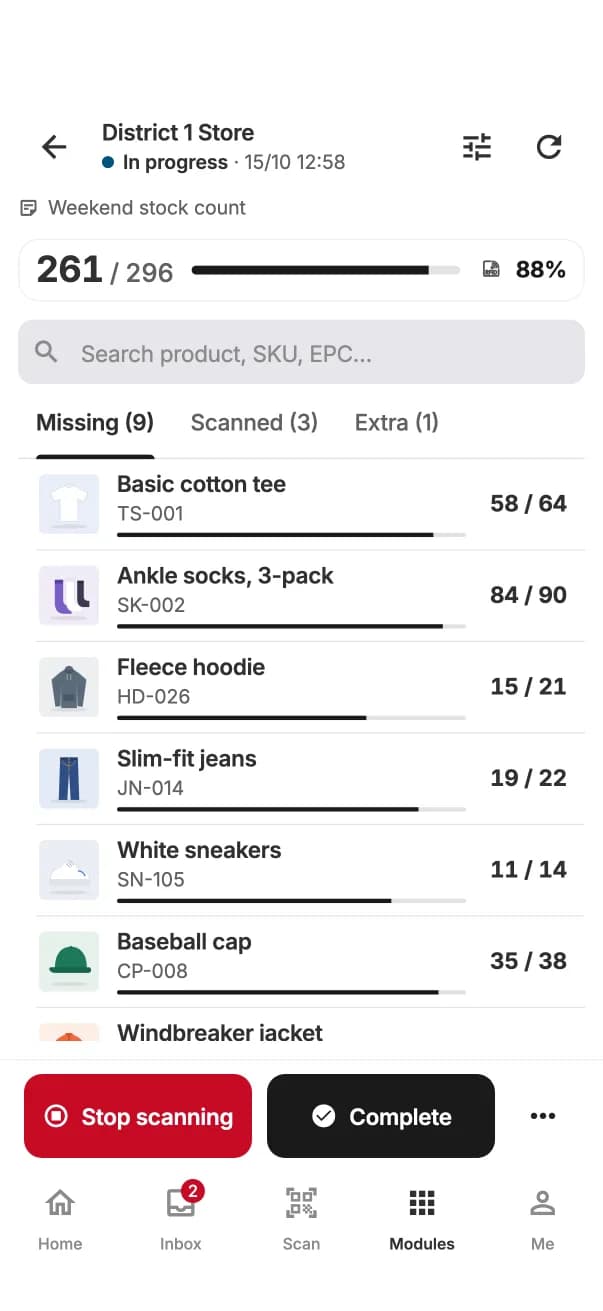
Stock audit
Count a whole shelf in one pass. Missing, found and extra, per product.
Offline
Keeps scanning when the network drops, and syncs when it is back
Locate
Find item: a beep that gets faster as you get closer to the tag
Camera
Barcode and QR scanning with the phone camera
Sign in by scanning a QR code from the web app
Get the app
iOS · Android
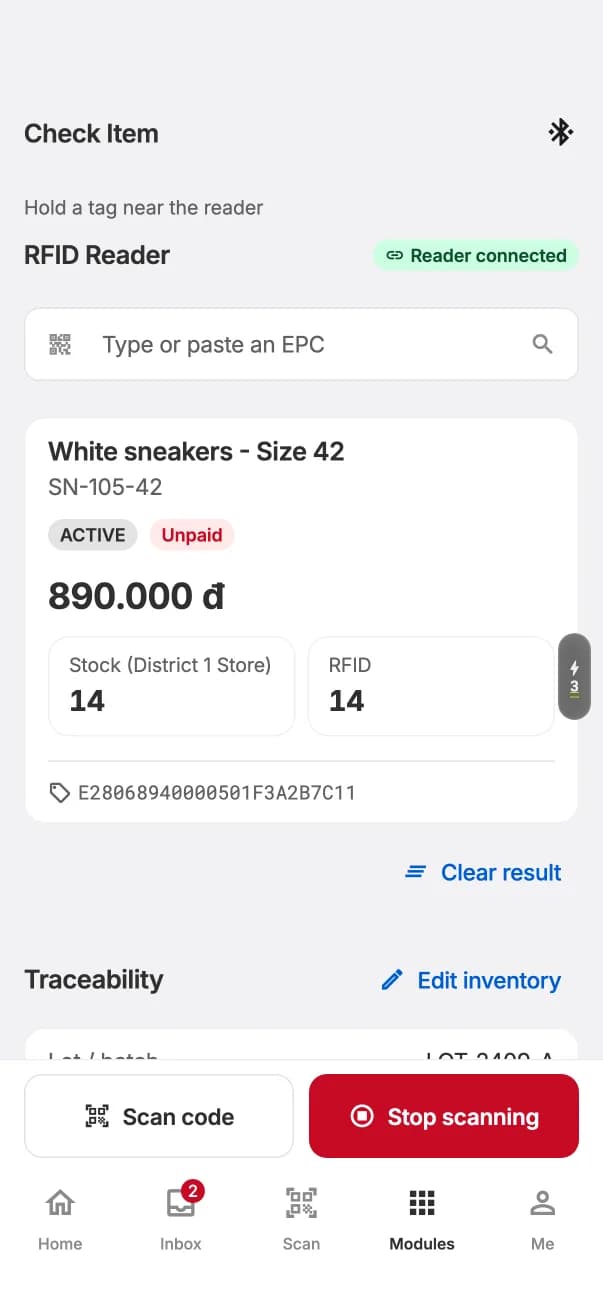
Check item
Scan one tag to see the product, its stock and where it has been.
iOS · Android
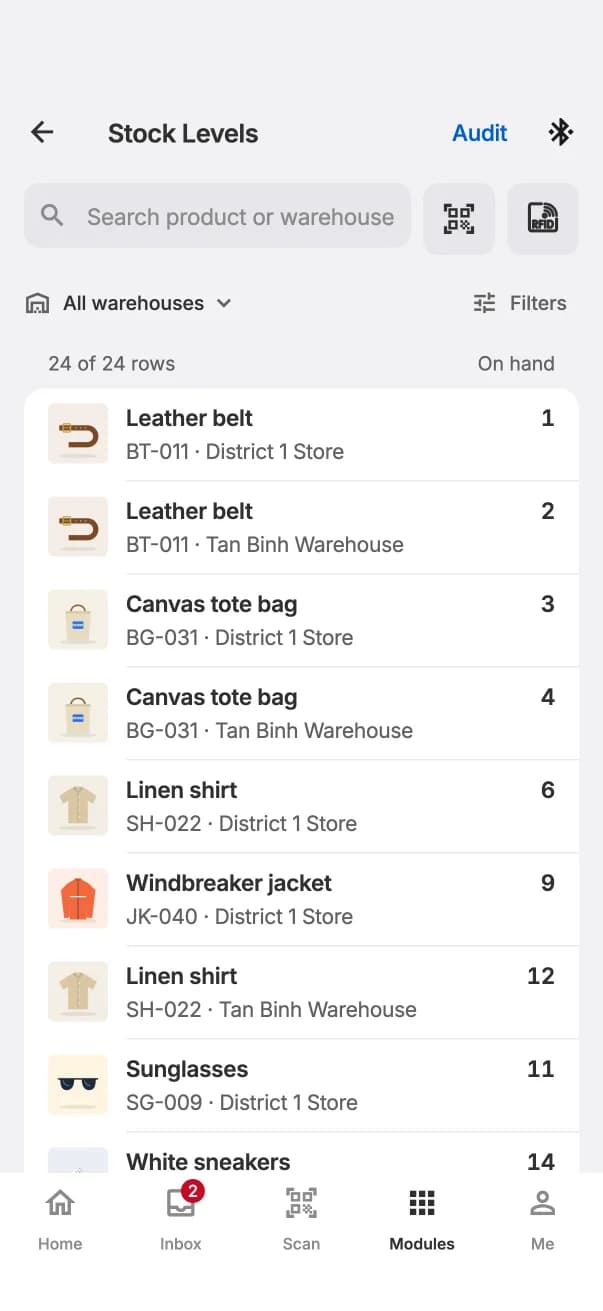
Stock levels
Stock per product and per warehouse, from anywhere.
Know what to reorder before it runs out.
Ask Avalon the way you'd ask a buyer who knows your stock: which colors to restock, what is selling slowly, which sizes sell out first. Every answer comes from your own stock and sales.
Know what to reorder
Which colors and sizes are about to run out, straight from your stock and sales.
Spot slow sellers
Which styles have sat longest, and in which store, so you can clear or move them in time.
Reports without Excel
Ask one question, get a table or a chart, and download it when you need it.
Reads supplier files
Send a price list or a stock list and ask Avalon to compare it with what you hold.
Faster data entry
Avalon fills in product details for you, and asks before it saves.
Your data stays safe
Each person can only ask about what they are allowed to see.
Avalon AI is a plan add-on, in the web app.
What's in the product
These are the modules every workspace has. Some are optional, and you switch them on in Settings.
Catalog
- Products and variants
- Product categories
- Warehouses
- Product kits
- Custom attributes
- Import products from Excel
Stock operations
- Stock in and stock out
- Putaway and internal moves
- Transfers between warehouses, received by RFID
- Loans
- Label printing
Pick and pack
- Stock receipts
- Pick lists
- Goods issue notes
- Verify against the document
- Check item
Inventory and audit
- Stock levels per warehouse and bin
- Stock ledger
- RFID stock audits
- Discrepancy reconciliation
- Batch and expiry tracking
RFID tags
- Tag list
- Map tags to locations
- Scan to remove
- SGTIN-96 tag encoding
- Electronic shelf labels
- Security gates
Purchasing
- Suppliers
- Purchase orders, with Excel import
- Consignment stock
Linked stores
- Link the stores of one chain
- Look up stock across the chain
- Shipments between stores
Reports and Avalon AI
- Dashboard
- Stock reports
- Avalon, an AI assistant you can ask about your stock
Administration
- Users
- Roles and permissions
- Activity log
Security gates and RFID readers are managed from Settings.
Works with the RFID hardware you need
Readers and printers are set up in Settings. Nextwaves makes the readers, tags and gates.
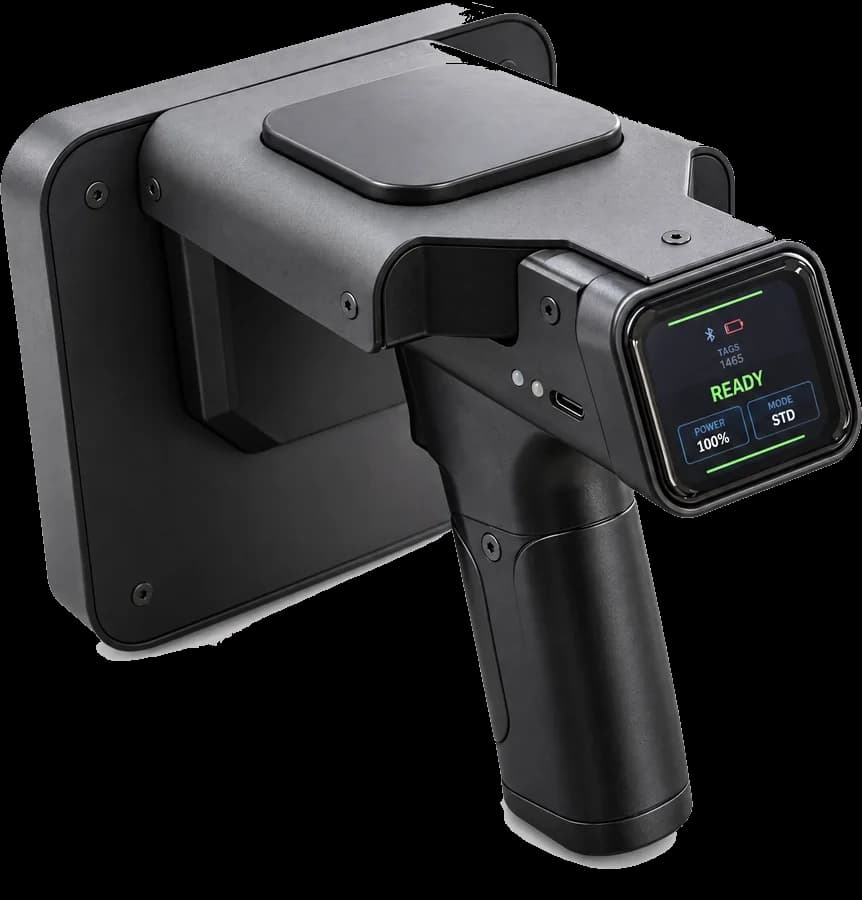
Handheld reader NHR-10
Pairs with the mobile app over Bluetooth, for counts, receiving and finding items.
See products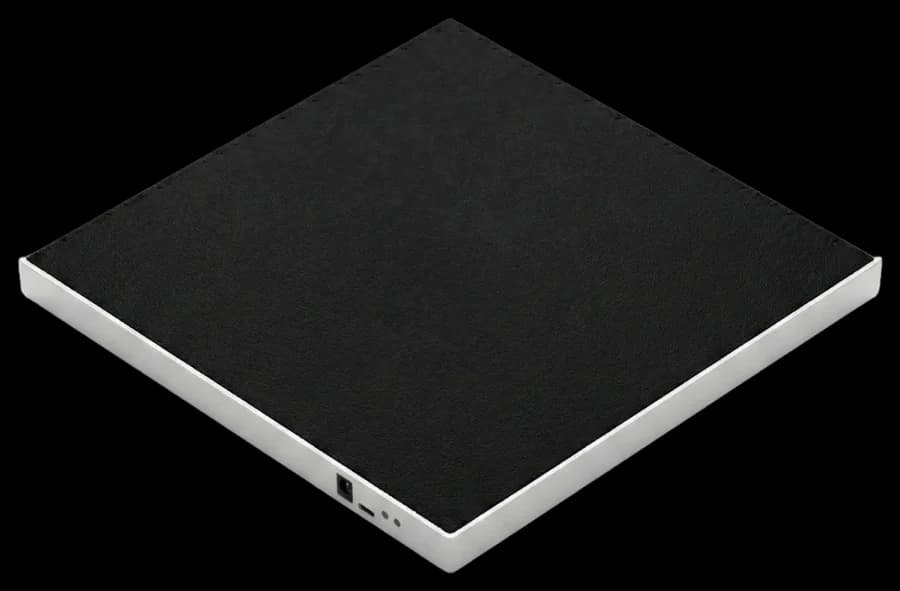
Desktop USB reader
Plugs into the computer and reads straight into the web app in Chrome or Edge.
See products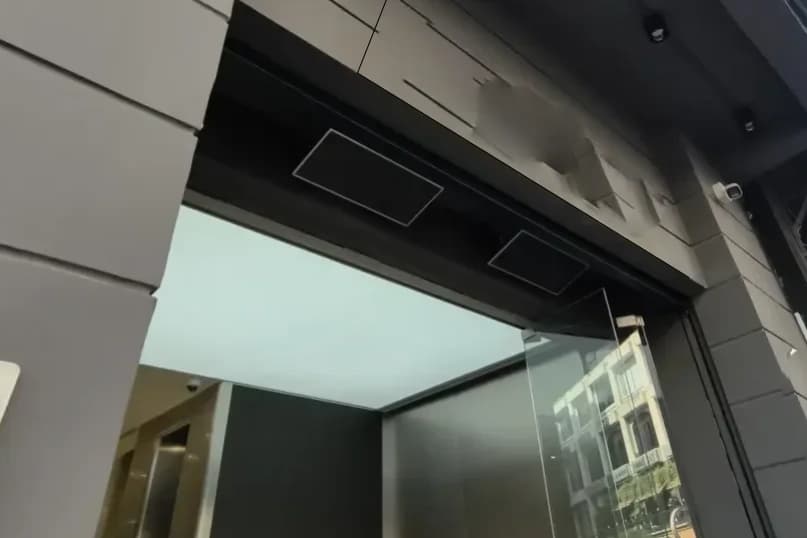
Fixed readers and gates
Mounted at a door or a dock, they report every tag that passes and raise an alarm at the security gate.
See products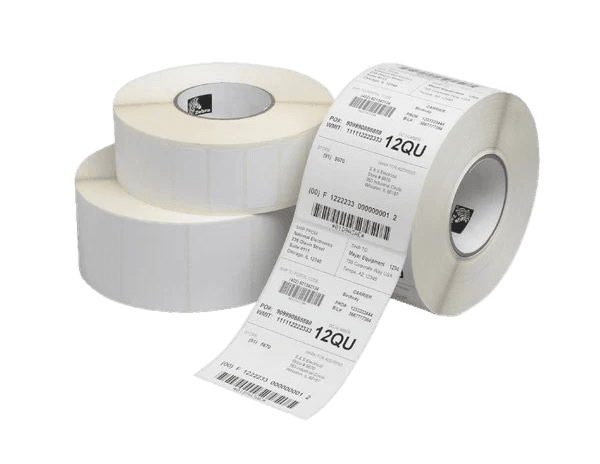
Design and print your own labels
Design label templates in Sense Inventory, then print them and write the RFID tag in one pass on a Godex or Zebra printer.
Every place sets it up differently
Pick a kind of place and see what it turns on and what the team there works with. All of it is in Settings, and you can change it at any time.
Every item carries an RFID tag. Count a whole rack in one pass, and the gate alarms when tagged goods leave the door.
Turned on
- RFID stock in and out
- Rack counts in one pass
- Security gates
Fits like it was made for you
Turn on only what you need. Your team opens the app and sees their own work, not a maze of menus they never use.
Trust every number
Every stock movement goes past a manager before it counts. Goods closest to expiry go out first, so nothing expires forgotten on a shelf.
Stock that matches everywhere
Connect Sapo, KiotViet, Haravan or Nhanh.vn and stock updates on its own. Enter it once, never twice.
Labels with your brand on them
Design labels with your logo, barcode and RFID tag. Add size, color, material or whatever your goods need.
The right people, the right work
Staff see only the work they are given; managers keep approvals and reports. Your stock data stays in your hands.
Ready when you grow
When it is time to connect your ERP, accounting or your own app, your IT team has an API and webhooks ready to go.
Connects to the software you already use
Connections are switched on in Settings and keep stock in step, so you don't keep two lists by hand.
Sales channels





Accounting and ERP

- MISA AMISComing soon
- MISA CRMComing soon
Shipping

For developers
- Public API
- Webhooks
- MCP for AI assistants
Something else? Your IT team or a partner can connect it through the API and webhooks.
Common questions
Which RFID readers does it work with?
The Nextwaves NHR-10 handheld over Bluetooth with the mobile app, USB desktop readers in the web app, and fixed readers and security gates. Readers are added in Settings.
Do I need RFID to start?
No. You can run stock in, stock out and lookups with barcodes and the phone camera, then add RFID tags and a reader when you are ready.
Does the mobile app work without a network?
Yes. Counts and scans keep going offline and sync on their own when the network is back.
Can I bring in my products from Excel?
Yes. Products, categories and purchase orders can be imported from an Excel file.
We already sell on KiotViet or Sapo. Do we keep two stock lists?
No. Connect it in Settings and stock syncs between the two, so the numbers match.
Which phones does the app run on?
iPhone, iPad and Android phones. The same account signs in on the web and in the app.
Can't find a feature you need?
The answer is usually in one of these three places.
- Read the guides
Check Settings
Many features are already there, waiting to be switched on.
Connect through the API
Your IT team or a partner can link Sense Inventory to other software with the API and webhooks.
- Send a request
Send us a request
We read every request, and new features reach every customer.
Let's set up Sense Inventory for your stock
Tell us how you manage your goods today. We'll suggest the right setup and show it to you live.